The 5 Best Gaming Monitors of 2026 (OLED, 4K & Budget)

By Samuel 76 · Founder & Editor
Some links are Amazon affiliate links: we earn a commission if you buy, at no extra cost to you, and it never changes what we recommend. How we make money
2026 is the year the best gaming monitors stopped being a luxury: 240 Hz OLED now sits in the $280 to $400 price band and even 4K at 240 Hz is real. The difference between a regular IPS panel and an OLED hits you in the first second — perfect blacks, zero ghosting — and once you try it there is no going back. My pick for the best gaming monitor of the year is the LG UltraGear 27GX704A (paid link) for its mix of OLED, 240 Hz and price, but there are options from the $80 to $110 price band.
My main monitor is a 1440p IPS, not an OLED, so this comparison was written for me too.
Quick rundown of my verdicts:
- Best overall: LG UltraGear 27GX704A OLED 240Hz (paid link) — $280 - $400
- Best for competitive: MSI MAG 271QPX QD-OLED 360Hz (paid link) — $600 - $900
- Best premium 4K: Samsung Odyssey G8 4K 240Hz (paid link) — $600 - $900
- Most affordable QD-OLED: MSI MAG 274QP QD-OLED (paid link) — $280 - $400
- Best budget: AOC 24G51F2 180Hz (paid link) — $80 - $110
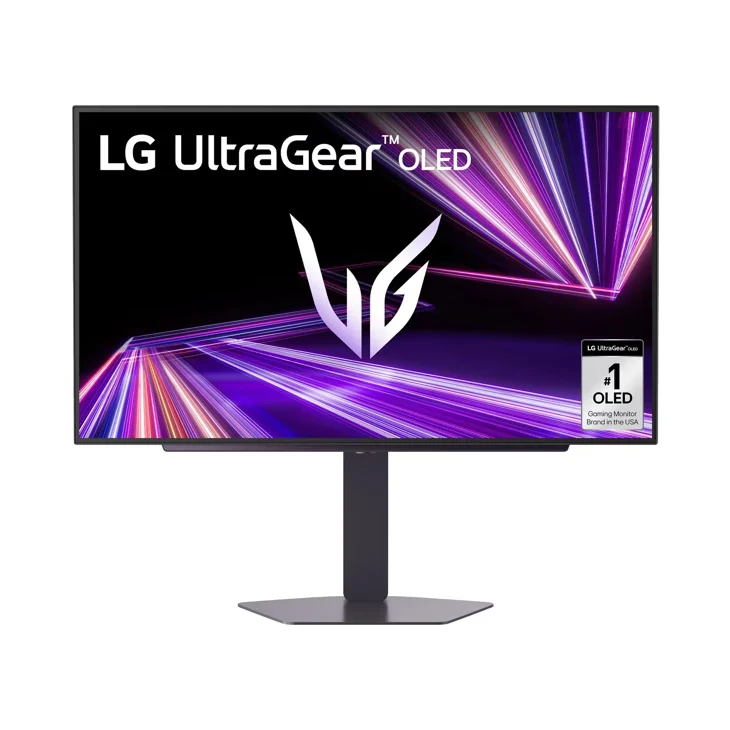
1. LG UltraGear 27GX704A — best gaming monitor overall
The 27GX704A (paid link) is why 2026 will go down in monitor history: a 27-inch QHD OLED at 240 Hz with 0.03 ms response and absolute blacks… in the $280 to $400 price band. When LG launched the first 27-inch 240 Hz OLED, the 27GR95QE, in early 2023, this spec sheet cost far more. Colors pop, motion is crystal clear, and for dark games like survival or horror titles no IPS comes close. The usual OLED caveat? Avoid leaving static interfaces on screen for many hours due to image retention, though modern panels ship with automatic protections. A safe buy for most gamers.
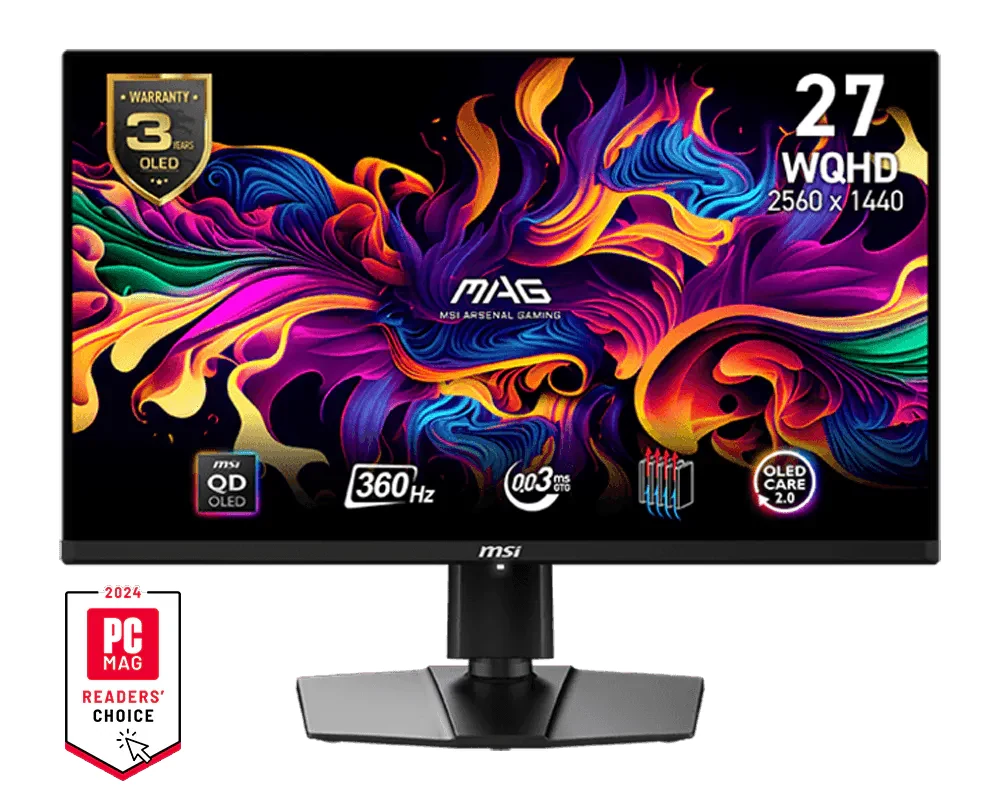
2. MSI MAG 271QPX QD-OLED — best for competitive play
If you live for the frag, the MAG 271QPX (paid link) raises the stakes: 2K QD-OLED at 360 Hz. Quantum dot technology adds a color punch classic OLED cannot reach, and 360 Hz is genuinely felt in fast shooters like Valorant or CS2. In the $600 to $900 price band, it costs more than the LG, but if your matches are decided in milliseconds, those extra 120 Hz are your edge. Overkill for consoles; this is for competitive PC.
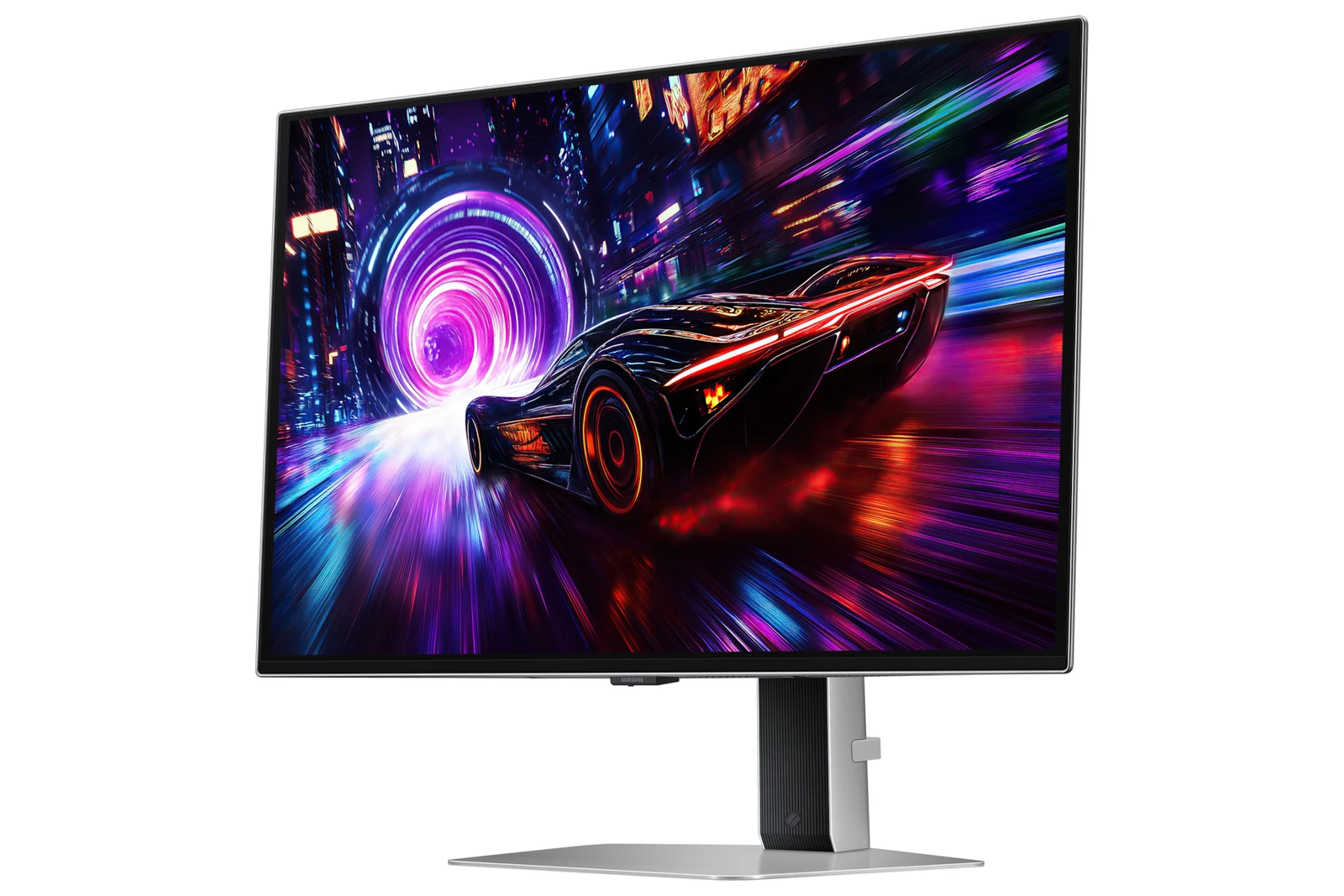
3. Samsung Odyssey QD-OLED G8 — best 4K gaming monitor
The Odyssey G8 G81SF (paid link) is the "I want it all" monitor: true 4K at 27 inches (brutal pixel density), QD-OLED and 240 Hz. Cyberpunk or any open world looks outrageous, and it stays lightning fast for multiplayer. Its price, in the $600 to $900 band, stings and you need a powerful GPU to push 4K at those rates — this is an enthusiast buy. But if your card can and your wallet agrees, this is the end of the road.
4. MSI MAG 274QP QD-OLED X24 — most affordable QD-OLED
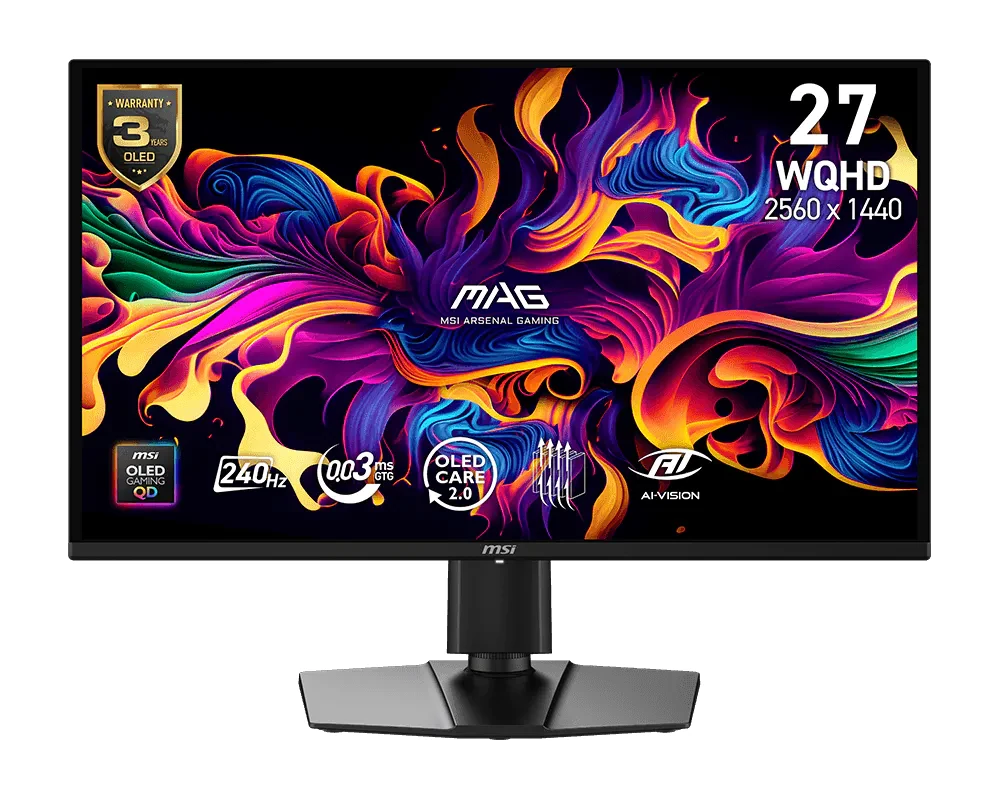
The MAG 274QP (paid link) is the entry point to QD-OLED: WQHD at 240 Hz with the same infinite contrast as the expensive panels, in the $280 to $400 price band. Against the LG it gives up some peak brightness but gains color saturation, and costs less. Between this and the LG it comes down to taste: livelier color here, a more proven track record there. Either way you win.
5. AOC 24G51F2 — best budget gaming monitor
Not everyone needs OLED, and the AOC 24G51F2 (paid link) proves it: a 24-inch Full HD IPS at 180 Hz with 0.5 ms (MPRT), in the $80 to $110 price band. It is THE monitor for getting into competitive play, for a second screen or for a tight budget build. It obviously lacks the OLED wow factor, but nothing this complete exists at this price.
Which panel is yours
Best balance of quality, price and tech? The LG 27GX704A (paid link). Serious esports? The 360 Hz MSI 271QPX (paid link). Maximum image quality, no compromise? The Samsung G8 4K (paid link). QD-OLED for less? The MSI 274QP (paid link). Tight budget? Grab the AOC 24G51F2 (paid link) and go play. And to complete the setup, check our guide to the best gaming keyboards.
If you are waiting for a price drop to buy a monitor, check what to buy and what to skip during Prime Big Deal Days before you pay. Monitors are the category where a near-identical model with a different suffix slips in most easily, like a 144 Hz version listed next to the 180 Hz one, and that guide shows how to check the exact ASIN before buying.
Monitor questions
Does the MSI MAG 274QP QD-OLED X24 have HDMI 2.1, and does it come with the cable?
It has two HDMI 2.1 ports and one DisplayPort 1.4a, but MSI does not put an HDMI cable in the box. MSI's specification page lists the ports as 2x HDMI 2.1 (FRL 10G) for WQHD at 240 Hz and the box as one DisplayPort 1.4a cable, a power cord and a quick guide. To run 1440p at 240 Hz over HDMI you need to buy a cable rated for HDMI 2.1 (Ultra High Speed). The full list is on the monitor's page.
Is an OLED monitor worth it for gaming?
Yes — it is the single biggest quality jump you can give your setup: perfect blacks, superior color and zero ghosting. The only care is not leaving static interfaces up for hours, though 2026 panels include automatic anti-retention protections.
240 Hz vs 360 Hz: can you tell the difference?
From 60 to 144 Hz the jump is huge; 144 to 240 is noticeable; 240 to 360 only benefits competitive players with trained reflexes and a PC able to generate those frames. For most people, 240 Hz is the sweet spot.
What resolution should a 27-inch gaming monitor have?
QHD (1440p) is the ideal balance at 27 inches: sharp, demanding but manageable for mid-range GPUs. 4K at 27 inches looks incredible but requires a high-end card; 1080p only makes sense at 24 inches or for pure competitive play.
Before you pick a panel, check that your graphics card can feed it: 1080p, 1440p or 4K matches each resolution to the GPU it needs, and our graphics card guide does the reverse. If the choice is between two panel types, OLED, QD-OLED or IPS breaks down what you actually see, and 60 Hz to 144 or 240 Hz tells you when a faster screen is worth it.
How we choose: no lab here, and we will not pretend otherwise. The five monitors were compared on panel type, resolution, refresh rate, response time, HDR certification and ports, from the AOC, MSI, Samsung and LG spec sheets. They go from a budget 1080p IPS screen to 4K QD-OLED. Ultrawide and curved models are outside this list, and the refresh rate and OLED versus IPS questions have their own guides on the site.
I write every guide with the help of AI tools for research and drafting; I decide which products make the cut, check every figure against the manufacturer’s spec sheet and the price on the day I verify it, and sign the text. — Samuel