Is Upgrading From 60Hz to 144Hz or 240Hz Worth It? The Truth in 2026

By Samuel 76 · Founder & Editor
Some links are Amazon affiliate links: we earn a commission if you buy, at no extra cost to you, and it never changes what we recommend. How we make money
Is upgrading from 60Hz to 144Hz or 240Hz really worth it? Short answer: yes, and it is probably the most underrated upgrade in gaming. The jump from 60 to 144+ Hz is visible within the first second — motion turns liquid, aiming gets easier, and even the desktop feels different. Here is what to expect from each jump and which monitor fits your rig.
What each jump feels like
- 60 → 144/180Hz: the BIG jump. Fluid motion, less smearing, better enemy tracking. Everyone notices it, even outside games.
- 144 → 240Hz: noticeable for regular shooter players: moving images look sharper and flicks connect more.
- 240 → 360Hz: competitive territory: the difference exists but only trained reflexes exploit it.
The best-return jump: 180Hz in the $80 to $110 band
The AOC 24G51F2 (paid link) is the perfect entry door: a Full HD 180Hz IPS with good color and low input lag for the price of a deluxe game. Coming from 60Hz, this monitor transforms the whole experience without demanding much GPU: at Full HD, even a modest card reaches 100+ fps in popular shooters.
The premium sweet spot: QHD 240Hz OLED
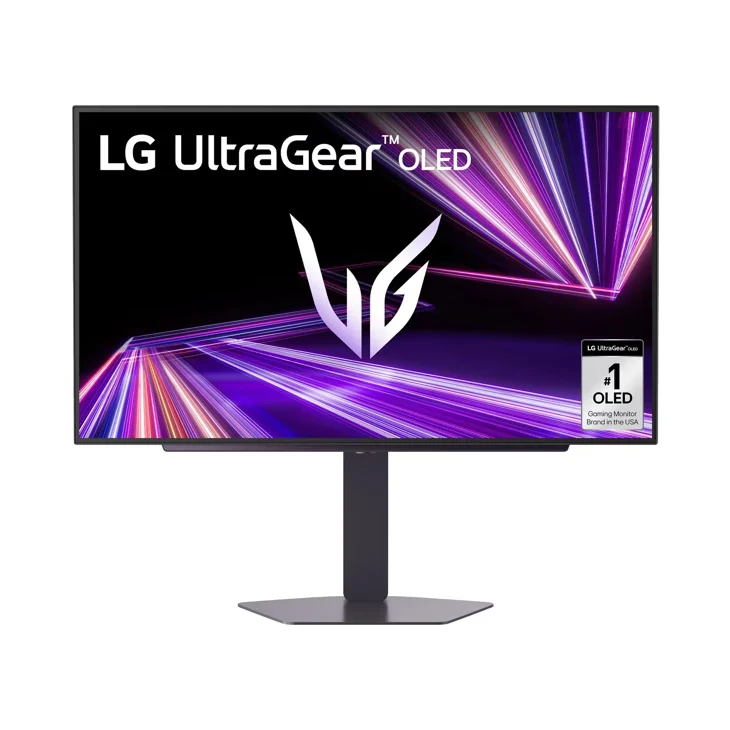
If your GPU is mid-to-high tier, the LG UltraGear 27GX704A (paid link) combines both quality jumps in one: 240Hz and an OLED panel with near-instant response. Extreme fluidity plus perfect blacks: the combo that makes going back impossible.
To compete seriously: 360Hz
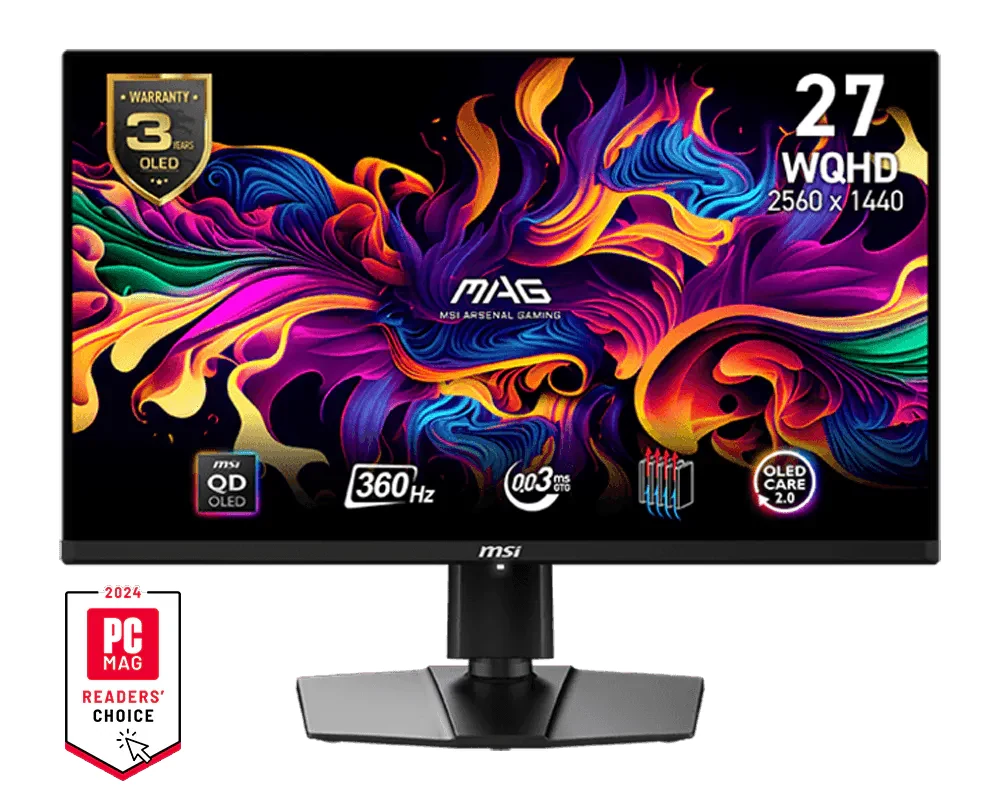
The MSI 271QPX QD-OLED (paid link) pushes refresh to 360Hz with QD-OLED image quality. It sits near the top of the market (500Hz QHD QD-OLEDs already exist) and makes sense if competitive shooters are your life and your GPU can sustain those frames. For everyone else, the money goes further in the 240 tier.
Careful: your GPU must keep up
A 240Hz monitor only shines if your card produces enough frames. Quick reference: for 144-180Hz at Full HD a mid-range card is enough; for 240Hz at QHD aim for an RTX 5060 Ti or better with DLSS. You can put the full combination together in our Build your PC configurator.
Already on 144, 165 or 180Hz: is 240Hz worth it?
If you already left 60Hz behind, the math changes completely. The jump you feel most is the first one: at 60Hz each frame lasts 16.7 ms and at 144Hz, 6.9 ms, almost 10 ms less. Going from 180 to 240Hz takes you from 5.6 to 4.2 ms: 1.4 ms per frame. You can notice it, but far less, and only if your card actually hits those FPS.
Moving up to 240Hz is worth it when all three are true:
- You play competitive shooters (Valorant, CS2, Overwatch 2, Apex) and chase every bit of smoothness and motion clarity.
- Your card holds above 200 FPS in those games at the new monitor's resolution. In light competitive titles a mid-range card gets there; at QHD and in heavier games, think RTX 5060 Ti or better, as mentioned above.
- The upgrade brings more than Hz. Going from a 180Hz IPS to a 240Hz OLED also improves response time and contrast, and you see that difference right away. Going from a 180Hz IPS to a 240Hz IPS at the same resolution is the smallest upgrade of all.
It is not worth the price gap if you mostly play story, open-world or strategy games, if your PC does not get past 150-180 FPS in what you play, or if the extra money could upgrade your graphics card instead. For perspective: a 180Hz Full HD monitor like the AOC in our catalog sits in the $80 to $110 band, and a 240Hz QHD OLED like the LG 27GX704A in $280 to $400. If the only difference is Hz, same panel and same resolution, that money almost always does more in the graphics card. If you are torn between panels, our OLED, QD-OLED or IPS guide breaks it down.
I play at 1440p on a 180Hz IPS, and I would not pay for a 240Hz IPS: I would wait and jump straight to a 240Hz OLED, which is where the change really shows.
Do it or skip it
If you are still on 60Hz, the AOC 24G51F2 (paid link) is the best happiness-per-dollar upgrade in all of gaming. If you want the definitive monitor, the 27GX704A (paid link) with 240Hz OLED is it. And before deciding, our OLED vs QD-OLED vs IPS guide helps you pick the right panel.
Who shouldn't bother upgrading to 144Hz
I call this the most underrated upgrade in gaming, and I stand by it. It is still not for everyone, and these three cases are where I would keep the money in my pocket.
- Your GPU cannot get past 60 fps in the games you play. A 144Hz panel fed 55 frames looks like a 60Hz panel. Upgrade the graphics card first; the monitor comes second.
- You play on a console connected to a TV you already like. PS5 and Xbox Series X can output 120Hz, but only in games that support it, and many big releases run at 30 or 60 fps. Check your library before buying a monitor for it.
- You only play slow strategy, card or story games. Turn-based and narrative games barely use the extra frames. For you, a better panel or a higher resolution does more than a higher refresh rate.
Refresh rate questions, answered
Is it worth upgrading from 180Hz to 240Hz?
Only if you play competitively, your PC runs above 200 FPS in those games and, even better, if the upgrade also gets you an OLED. If it is the same panel type with 60 more Hz, for most people the money does more in the graphics card.
Do I need a special cable for 144+ Hz?
DisplayPort is the safe bet on PC. Over HDMI, make sure it is 2.1 for high rates at QHD/4K. And remember to ENABLE the rate in Windows settings: it ships at 60Hz by default.
Is 144Hz useful for slow games?
Yes: you feel the benefit even moving the mouse on the desktop. But if you only play strategy or adventures, prioritize panel and resolution over refresh.
Which monitor if I also work on it?
A 27-inch QHD is the ideal game-productivity balance. Check our top 5 monitors of 2026 with picks for every case.
Do I need 144 fps to benefit from a 144Hz monitor?
No. With adaptive sync (G-SYNC, FreeSync or HDMI VRR) the monitor follows your GPU, so 90 or 110 fps already looks smoother than any 60Hz screen, without tearing. Make sure it is turned on both in the monitor menu and in your graphics card settings.
Can the human eye really see 240Hz?
You do not see individual frames, but you do notice less motion blur and faster reaction to movement. Almost everyone spots the jump from 60 to 144 right away; 144 to 240 is clear for regular shooter players and subtle for everyone else. Beyond that, the gains shrink fast.
How we choose: no lab here, and we will not pretend otherwise. We compared each refresh rate jump by the time between frames it gives, 16.7 ms at 60 Hz down to 4.2 ms at 240 Hz, and by what the graphics card has to deliver to use it. Monitor examples come from AOC, LG and MSI spec pages. Refresh rates are covered from 60 Hz to 360 Hz. Panel type stayed out because our OLED or IPS guide answers that. No brand pays to appear here.
I write every guide with the help of AI tools for research and drafting; I decide which products make the cut, check every figure against the manufacturer’s spec sheet and the price on the day I verify it, and sign the text. — Samuel