The 5 Best Gaming Keyboards of 2026, Compared Spec by Spec

By Samuel 76 · Founder & Editor
Some links are Amazon affiliate links: we earn a commission if you buy, at no extra cost to you, and it never changes what we recommend. How we make money
The best gaming keyboard of 2026 is the SteelSeries Apex Pro TKL Gen 3: magnetic switches whose actuation you tune key by key from 0.1 to 4.0 mm, in a TKL body. If you compete seriously, the Razer Huntsman V3 Pro TKL adds 8,000 Hz polling; on a tight budget, the HyperX Alloy Rise 75 is the one.
Choosing among the best gaming keyboards of 2026 is harder than ever, and for good reason: the war is no longer fought with traditional mechanical switches — it's fought with magnets. Hall effect switches and Rapid Trigger went from niche luxury to something almost every major brand offers. After weeks of comparing specs, my pick for the best gaming keyboard of the year is the SteelSeries Apex Pro TKL Gen 3 (paid link), but there's an excellent option for every budget.
Quick rundown of my verdicts:
- Best overall: SteelSeries Apex Pro TKL Gen 3 (paid link) — $150 - $200
- Best for esports: Razer Huntsman V3 Pro TKL (paid link) — $150 - $200
- Best value magnetic: Corsair K70 PRO TKL (paid link) — $110 - $150
- Best wireless: ASUS ROG Strix Scope II 96 Wireless (paid link) — $110 - $150
- Best budget: HyperX Alloy Rise 75 (paid link) — $80 - $110
The five picks side by side, with the specs from each maker's spec sheet:
| Keyboard | Pick | Switches | Actuation | Layout | Connection | Hot-swap |
|---|---|---|---|---|---|---|
| SteelSeries Apex Pro TKL Gen 3 | Best overall | OmniPoint 3.0 HyperMagnetic (Hall effect) | Adjustable, 0.1–4.0 mm | TKL | Wired USB-C | No |
| Razer Huntsman V3 Pro TKL 8KHz | Esports | Razer Analog Optical Gen-2 | Adjustable, 0.1–4.0 mm | TKL | Wired USB | No |
| Corsair K70 PRO TKL | Value magnetic | MGX Hyperdrive magnetic (Hall effect) | Adjustable, 0.1–4.0 mm | TKL | Wired USB-C | No |
| ASUS ROG Strix Scope II 96 Wireless | Wireless | ROG NX Snow linear (pre-lubed) | Fixed | 96% | 2.4 GHz, Bluetooth, USB | Yes |
| HyperX Alloy Rise 75 | Budget | HyperX Linear (pre-lubed) | Fixed | 75% | Wired USB-C | Yes |
1. SteelSeries Apex Pro TKL Gen 3 — best gaming keyboard overall
I tried to keep this ranking from being just my taste. The SteelSeries Apex Pro TKL Gen 3 (paid link) is still the keyboard I compare the rest of this list against. Its OmniPoint 3.0 switches let you tune each key's actuation between 0.1 and 4.0 mm: hair-trigger sensitivity for Valorant, stiffer keys so you don't fat-finger while typing. Rapid Trigger feels instant, the OLED screen is more useful than it looks, and the build will survive years of abuse. The downsides? It sits in the $150 to $200 price band and the GG software can feel overwhelming at first. Still, if you're only buying one keyboard this year, make it this one.
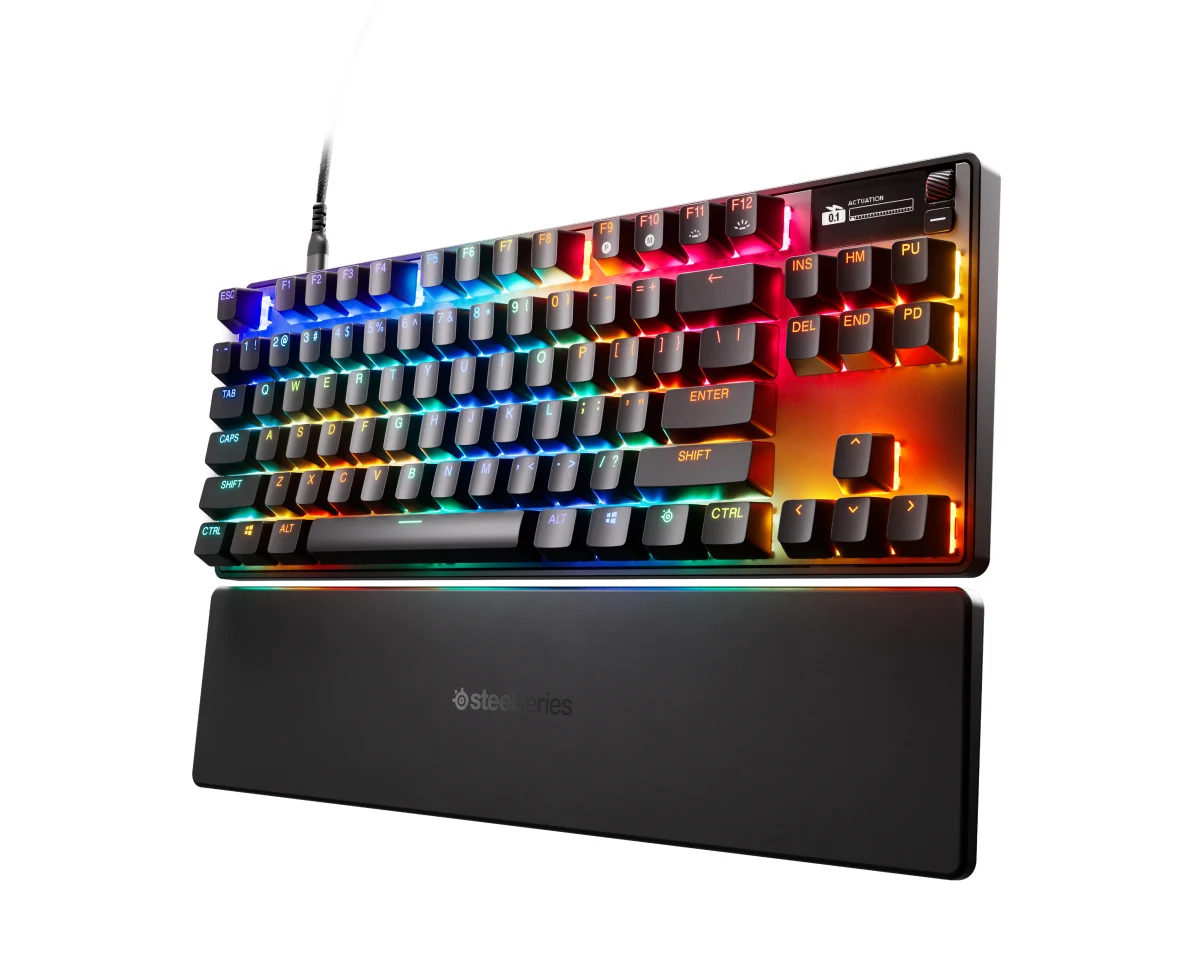
SteelSeries Apex Pro TKL Gen 3 - OmniPoint 3.0 Hypermagnetic Gaming Keyboard
View on Amazon (paid link)
2. Razer Huntsman V3 Pro TKL — best keyboard for esports
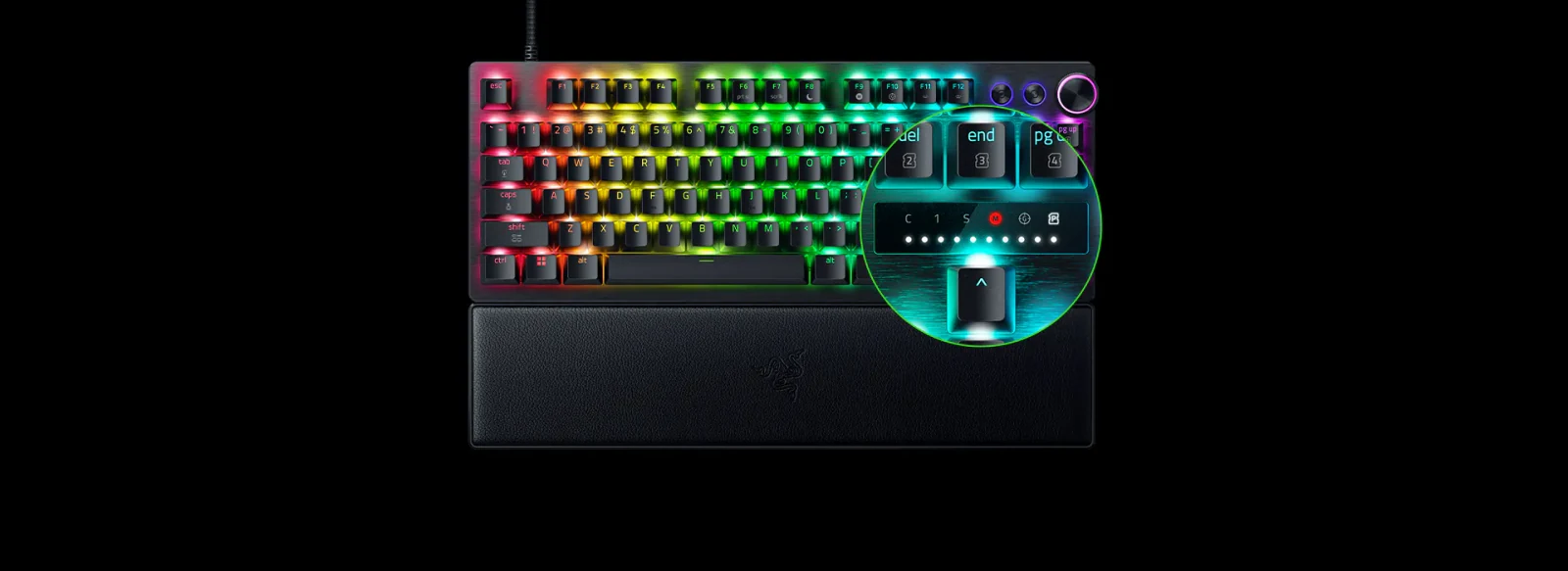
If you compete seriously, the Razer Huntsman V3 Pro TKL (paid link) in its 8KHz version is hard to beat. Its second-gen analog optical switches, 8,000 Hz polling and features like Snap Tap give you a real edge in games where every millisecond counts. It also has a dedicated dial to change sensitivity on the fly, no Synapse required. In the $150 to $200 price band, it isn't cheap and there's no wireless option, but for tournament play a cable is arguably a feature.
3. Corsair K70 PRO TKL — best value in magnetic switches
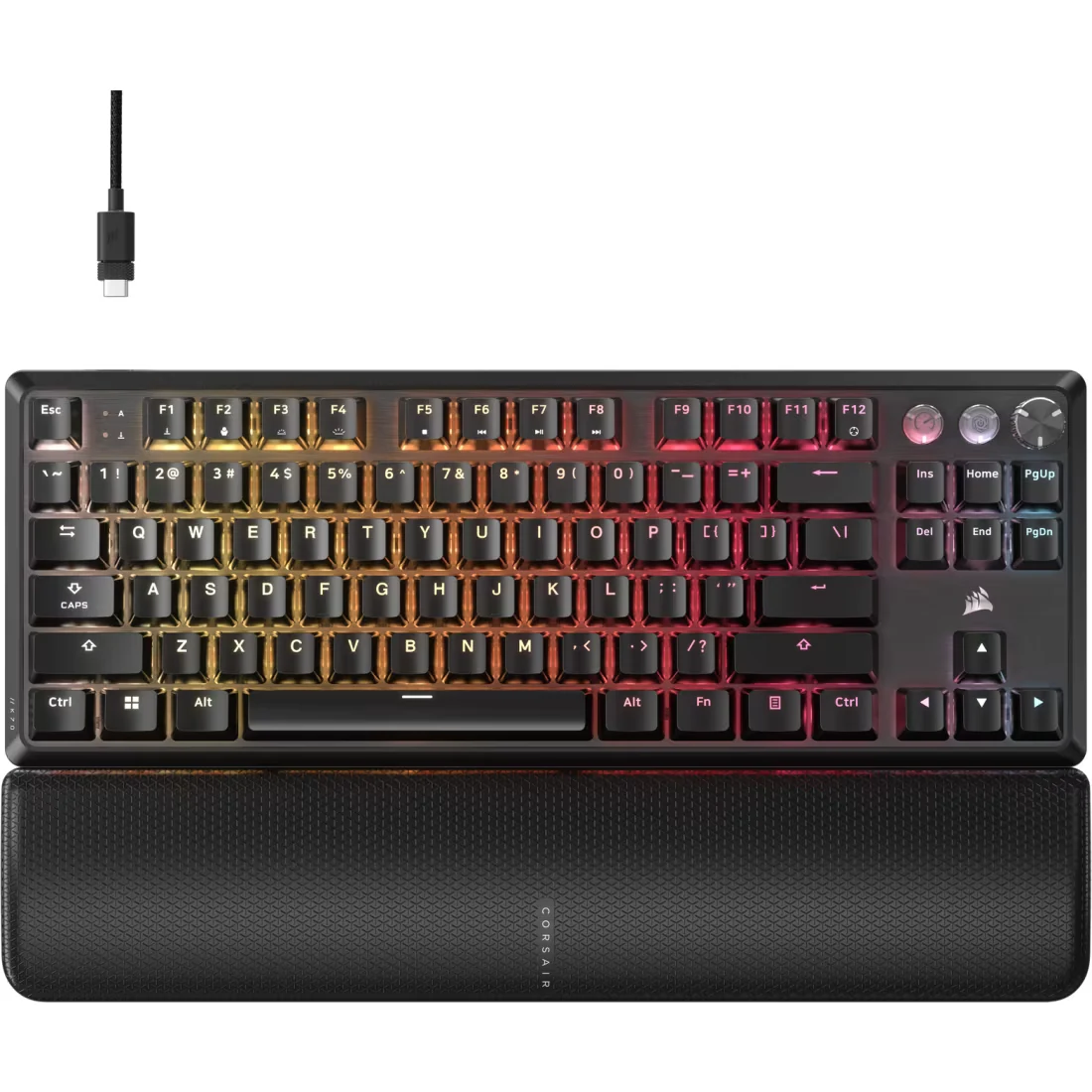
The Corsair K70 PRO TKL (paid link) is proof you no longer need to spend a fortune for first-rate magnetic switches. The MGX Hyperdrive switches come pre-lubed from the factory, 8K polling keeps up with pricier rivals, and the tournament-mode button (locking easily mispressed keys, setting the lighting to static and turning on Rapid Trigger in one click) is a genuinely smart touch. In the $110 to $150 price band you get an aluminum-clad deck, Rapid Trigger and an experience that cost a lot more six months ago. We only wish there were a wireless version.
4. ASUS ROG Strix Scope II 96 Wireless — best wireless gaming keyboard
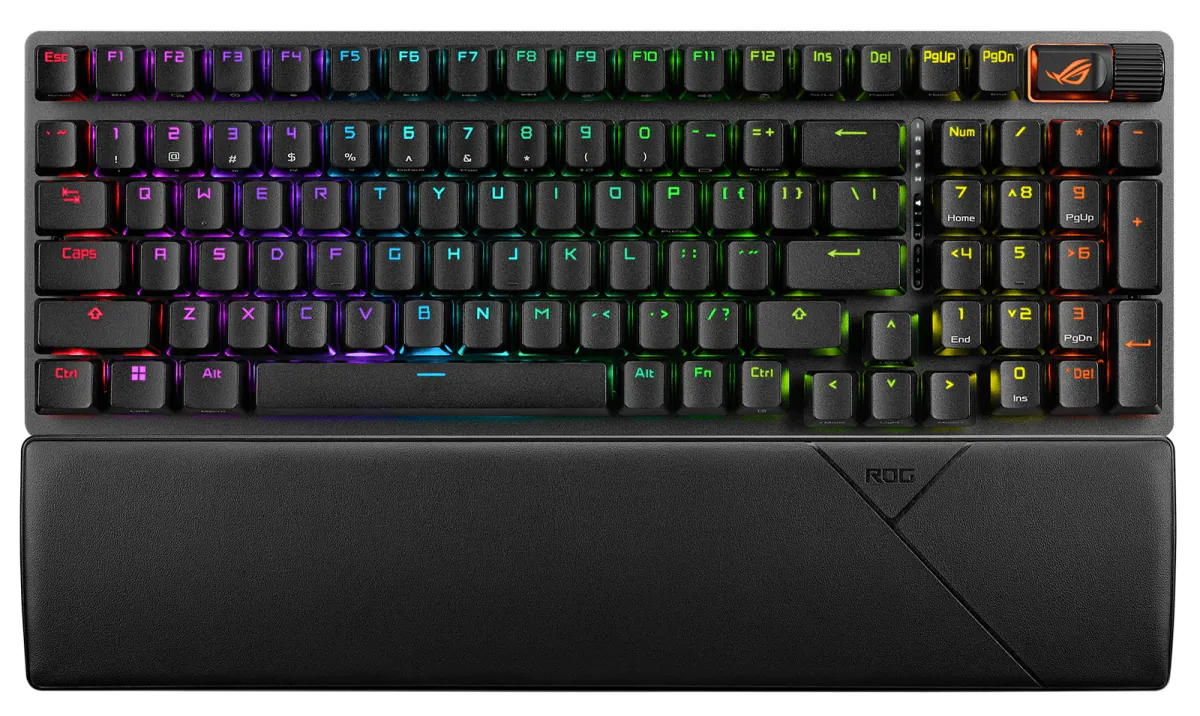
The ASUS ROG Strix Scope II 96 Wireless (paid link) solves the eternal dilemma of gamers who also work: a 96% layout with a full numpad, yet barely bigger than a TKL. It connects over 2.4 GHz, Bluetooth or cable, and the battery lasts up to 1,500 hours with RGB off (yes, you read that right). The ROG NX Snow switches come pre-lubed and hot-swappable, with PBT keycaps that won't shine over time. It doesn't have magnetic switches — that's its only real "but" — though in the $110 to $150 price band it's a whole lot of keyboard.
5. HyperX Alloy Rise 75 — best budget gaming keyboard
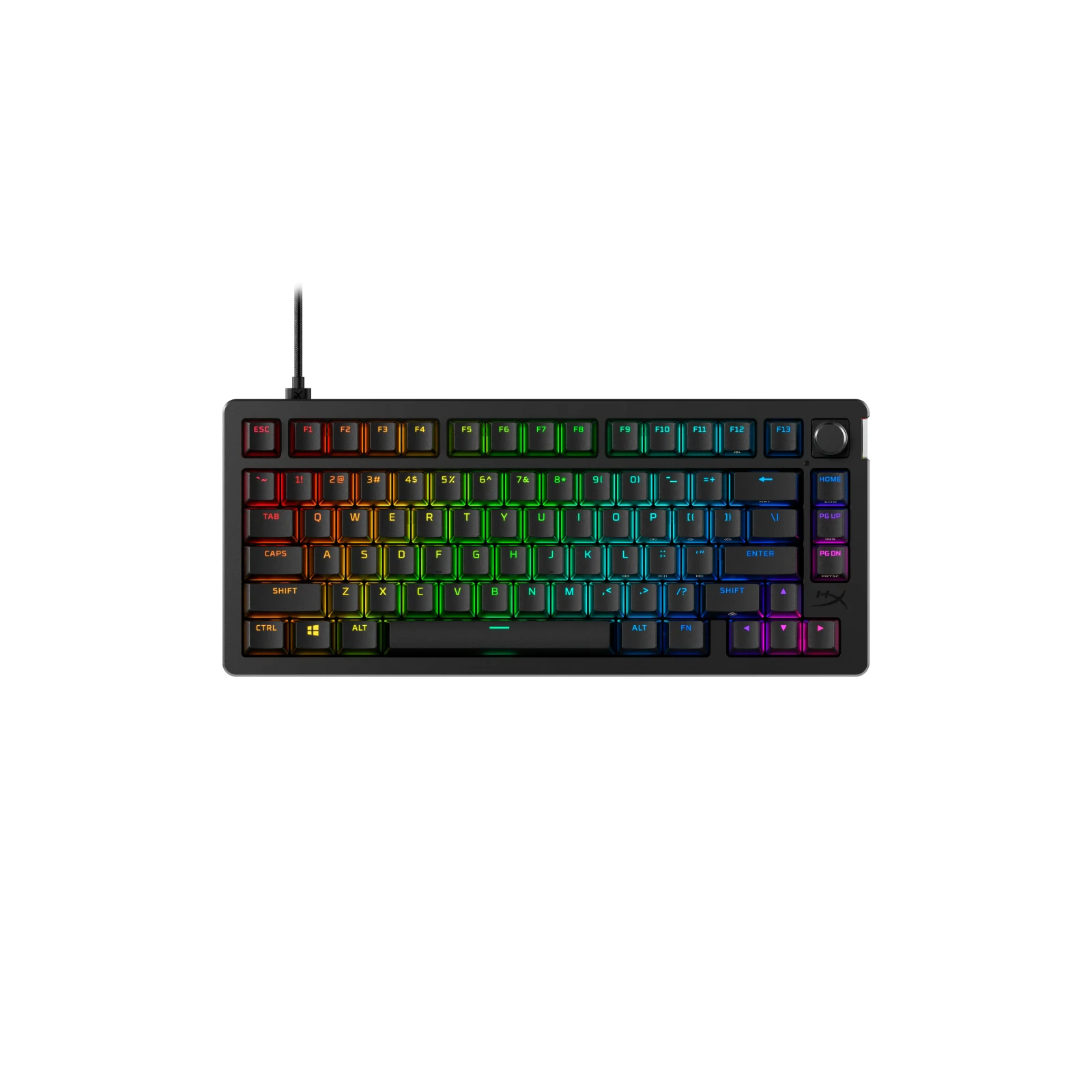
The HyperX Alloy Rise 75 (paid link) is my favorite gateway into custom keyboards. In the $80 to $110 price band it packs features that used to be enthusiast-only: a gasket mount that cushions every keystroke, hot-swappable switches with zero soldering, and even an ambient light sensor that auto-adjusts the RGB. It even polls at 8000 Hz. Don't expect Rapid Trigger, but as a board to game on, type on and make your own, it's the best buy in the $80 to $110 price band.
My keyboard for each type of player
If you want the best and don't want to overthink it, get the Apex Pro TKL Gen 3 (paid link). If you compete, the Huntsman V3 Pro TKL (paid link). If you want magnetic switches without breaking the bank, the K70 PRO TKL (paid link). If you hate cables, the Strix Scope II 96 (paid link). And if budget rules, the Alloy Rise 75 (paid link) won't let you down.
FAQ
Is the Apex Pro wired the fastest keyboard in 2026?
No spec sheet or independent test proves that any one keyboard is the fastest, and on paper the wired Apex Pro TKL Gen 3 is in the same league as the Razer Huntsman V3 Pro TKL and the Corsair K70 PRO TKL. According to SteelSeries, its OmniPoint 3.0 Hall effect switches set the actuation point anywhere from 0.1 to 4.0 mm and add Rapid Trigger and Rapid Tap; Razer and Corsair list the same 0.1 to 4.0 mm range for their two, plus 8,000 Hz polling. What decides between them is the shape, the software and the price band, not a speed number.
What is Rapid Trigger and why does it matter?
It's a feature of magnetic and analog switches that resets a key the instant you start releasing it, instead of waiting for it to travel all the way back up. In practice it lets you repeat inputs much faster — a real advantage in shooters like Valorant or CS2.
Are Hall effect keyboards worth it?
If you play competitive titles, yes: adjustable actuation and Rapid Trigger let you choose where each key registers and reset it the moment you lift your finger, something a regular mechanical switch does not do. For casual use, a good traditional mechanical board like the Alloy Rise 75 is still an excellent buy. If you go traditional and cannot pick a color, our guide to red, brown or blue switches puts Cherry's official numbers side by side.
Which gaming keyboard size should I get: TKL, 75% or 96%?
TKL (no numpad) is common in esports because it frees up mouse space. 75% is even more compact, and 96% keeps the numpad in a near-TKL footprint — ideal if you also work with numbers.
If the price of these is too much, our budget mechanical keyboards start well below them and still feel like a real upgrade. Not sure about the layout yet? 60%, TKL or full size explains what each one does to your desk and your mouse room. The mouse matters as much as the board, so pair this with our best gaming mice of 2026 and a proper XL mouse pad, or put two boards side by side in the comparison tool. Every board we cover is in the catalog.
How we choose: no lab here, and we will not pretend otherwise. The five boards were compared on switch type, layout, adjustable actuation, polling rate, hot-swap support and connection, read on the SteelSeries, Razer, Corsair, ASUS and HyperX product pages. The list sits in the mid and premium bands; cheaper boards have their own budget keyboards guide. Models sold only by resellers, or without a spec sheet from their maker, did not make the cut.
I write every guide with the help of AI tools for research and drafting; I decide which products make the cut, check every figure against the manufacturer’s spec sheet and the price on the day I verify it, and sign the text. — Samuel