Gaming PC Case 2026: Follow the Air, Not the Glass

By Samuel 76 · Founder & Editor
Some links are Amazon affiliate links: we earn a commission if you buy, at no extra cost to you, and it never changes what we recommend. How we make money
The case is the only part of your PC that gives you zero frames per second, and it still decides how many the rest of the parts give you. A processor with the right cooler suffocates anyway if the air never reaches it, and a seven hundred dollar graphics card drops its own clocks the moment it starts breathing its own heat. Short version: pick the case by where the air gets in, a mesh front with fans included, not by how much glass it shows.
Most case guides are sorted by brand or by price. This one runs the other way: it follows a single lungful of air from the moment it enters the front to the moment it leaves the back, and at every stage it tells you which measurement actually matters and what breaks when you ignore it. The five I would put on the table are at the end, cheapest first.
If the rest of your parts are already decided, the build tool tells you what is missing, the comparison tool puts up to five options side by side, and everything mentioned here lives in the catalog, with its price band and a direct link to Amazon.
Where the air gets in
Start at the front. There are two options and only one of them is good: mesh or glass.
A glass front does not pass air. That is not an opinion, it is a solid sheet. Cases with a glass front leave a one or two centimeter gap down the sides and everything has to squeeze through there. It works, but the fan has to spin much faster to move the same air, and you hear that.
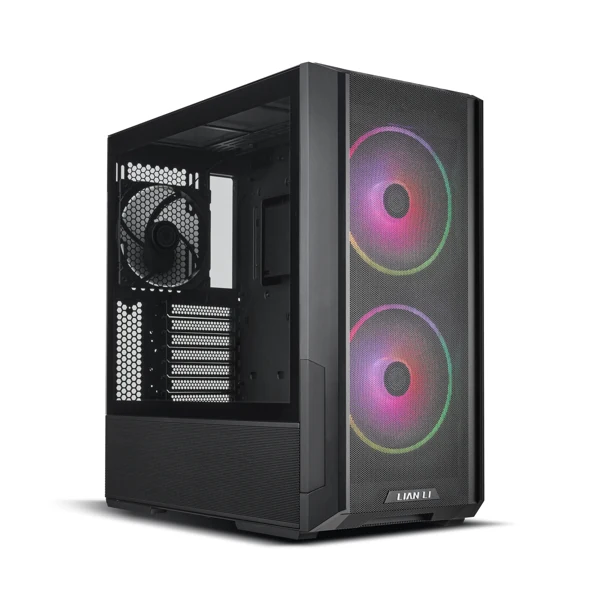
Second is how many fans fit and what size, and here is the arithmetic: a 160 mm fan moves the same air as a 120 while spinning a good deal slower. The Lancool 216 carries two 160s up front for that reason, not for looks. Fewer revolutions, same air, less noise.
Third is the one easiest to forget: the bottom intake. If the power supply shroud is perforated, you can put fans under the graphics card and give it its own air instead of leftovers. The Antec P7 S leaves 30 mm of clearance down there, and the NZXT H5 Flow perforated the shroud on the side and on the bottom for exactly this.
What eats it up inside
Air comes in and runs into things. The first is the graphics card, which in 2026 is not a card any more but a three-slot brick parked across the middle of the case. Whatever it breathes never reaches the processor.
That gives you the two numbers to look up before you pay, and they happen to be the two that cause returns:
- Maximum GPU length. Careful: not the length of your card, the length of your card plus the elbow of the power cable. A 336 mm card in a 340 mm case fits. The connector does not.
- Maximum cooler height. A Peerless Assassin is 155 mm tall and a compact case usually takes 160 or 165. The margin is a centimeter, and that centimeter is where people find out something is going back in the box. If the cooler is still undecided, start with the TDP-based cooler guide.
Before you pay, our Will it fit? checker runs both numbers for you: pick the case and your parts, and it compares them in millimeters with the clearances each case maker publishes.
The other thing that eats air is the mechanical drive cage, and here is an opinion with no hedging: if the case has a fixed cage at the front that you cannot remove, do not buy it. An M.2 SSD sits on the motherboard and takes up nothing. That cage is blocking your intake for a drive format an M.2-only build does not use.
Where it leaves
This is where a common mistake happens.
If you push three fans in at the front and pull with one at the back, you are pushing in more than you are pulling out. That is positive pressure and it is what you want: the leftover air escapes through the seams pushing dust out instead of sucking it in. Flip it around, a top radiator exhausting plus the rear fan against only two front intakes, and the case turns into a vacuum cleaner collecting dust through every unfiltered hole it has.
The rule with no math in it: count the fans blowing in and the fans blowing out, keep the intakes equal or one ahead, and make sure the intakes have filters. The exhausts do not need them.
One note on radiators: if you go liquid, top beats front. At the front the radiator warms the air before it reaches the processor and the card. On top, the heat goes straight out. Four of the five cases below take a 360 mm up there; the NZXT H5 Flow takes its 360 mm at the front and tops out at 240 mm on top.
The 13 mm to measure
This part belongs to this year's graphics cards.
Current NVIDIA cards use the 12V-2x6 connector. Cable makers and power supply makers land on the same number: leave roughly 35 mm of straight cable after the connector before any bend starts. Bend it sooner and the terminals inside can shift out of line, the current stops splitting evenly across the wires, and that is where the problem you have seen in photos begins.
Now look at the width of your case. The Antec P7 S is 222 mm wide. The Lancool 216 is 235 mm. Thirteen millimeters apart, and those thirteen decide whether the cable leaves the card straight or gets flattened against the side panel so the case will close.
Thirteen millimeters. No comparison chart has that column, and it is one of very few case measurements that can end in burnt hardware rather than a couple of extra degrees.
If you are running an RTX 50, that is the first box you check. If you are on AMD or on a card with the old eight-pin connectors, none of this touches you.
The arithmetic of included fans
Two cases at the same price do not cost the same.
When we checked in September 2026, the Antec P7 S and the NZXT H5 Flow cost the same. The P7 S ships with four PWM fans. The H5 Flow ships with two, and its own listing says the bottom pair, the ones that make the perforated shroud work, the idea the case is built around, are not included.
A five-pack of ARCTIC P12 Pro PST sits in the under $25 price band. So the H5 Flow, doing what it promises, costs noticeably more than its label. It is still a good case. It just does not cost what the label says.
It is the sum that is easy to skip when you build part by part: you buy the cheap one, it arrives, and a week later you are ordering fans because the single rear one cannot keep up. Add it all up and the case that cost a bit more would have been cheaper. The rule that saves the most money here: the price of a case is the price of the case plus whatever it is missing.
One spare-parts detail to check: if a case ships 160 mm fans (Lancool 216, Antec C8) or 140 x 140 x 30 mm ones (Lancool 207, thirty thick, not the normal twenty-five), you do not swap those for ordinary 120s. If one ever dies, you are not walking into a shop for a generic.
The back-connect trap
If you are looking at motherboards with the connectors on the back, ASUS calls them BTF, MSI calls them Project Zero and GIGABYTE calls them Project Stealth, then the case stops being a free choice.
Those boards move the connectors to the rear face so you never see a cable. For them to fit, the case tray needs cutouts in the exact positions and depth behind it for the plugs. A normal ATX case has neither, and the board simply will not seat.
There is a second step to it: the three makers put the connectors in slightly different spots, so a case validated for one is not automatically validated for the other two. Some brands now cover all three standards at once, but that is stated on the listing. Do not assume it.
In short: if the case listing does not name BTF, Project Zero or Project Stealth, assume no. And if you go down that road, pick the case and the board together rather than one and then the other. On picking the board itself, I took that apart in the motherboard guide: five boxes before the chipset.
The five cases, spec by spec
| Case | Max graphics card | Max CPU cooler | Fans included | Max radiator | Source |
|---|---|---|---|---|---|
| Antec P7 S | 405 mm | 175 mm | 4 | 360 mm | Antec |
| NZXT H5 Flow | 410 mm | 170 mm | 2 | 360 mm | NZXT |
| Lian Li Lancool 207 | 375 mm | 180 mm | 4 | 360 mm | Lian Li |
| Lian Li Lancool 216 | 392 mm | 180 mm | 3 | 360 mm | Lian Li |
| Antec C8 ARGB | 440 mm | 175 mm | 3 | 360 mm | Antec |
Figures from each maker's page and our product sheets, checked on October 13, 2026.
The ones I would put on the table
Five of them, cheapest first. None is bad. Each one solves a different problem.
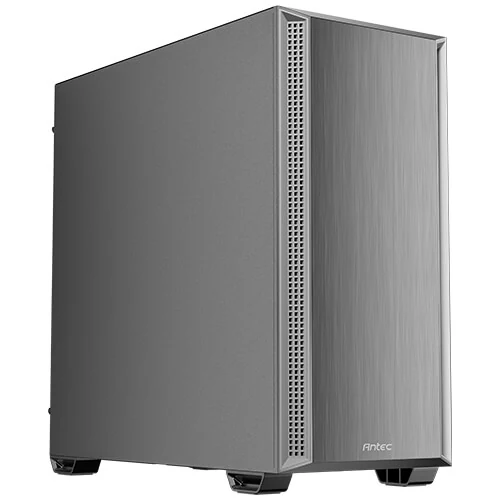
Antec P7 S, $60 - $80. The honest buy of the group. Four PWM fans from the factory (three front, one rear), mesh down both sides of the front panel, 360 mm radiator on top, 30 mm of clearance at the bottom for the card and sound-dampening foam on both side panels. Who it is for: the builder on a budget who does not want to spend on fans again. Who it is not for: 222 mm of width is tight, so with an RTX 50 check the cable elbow first.
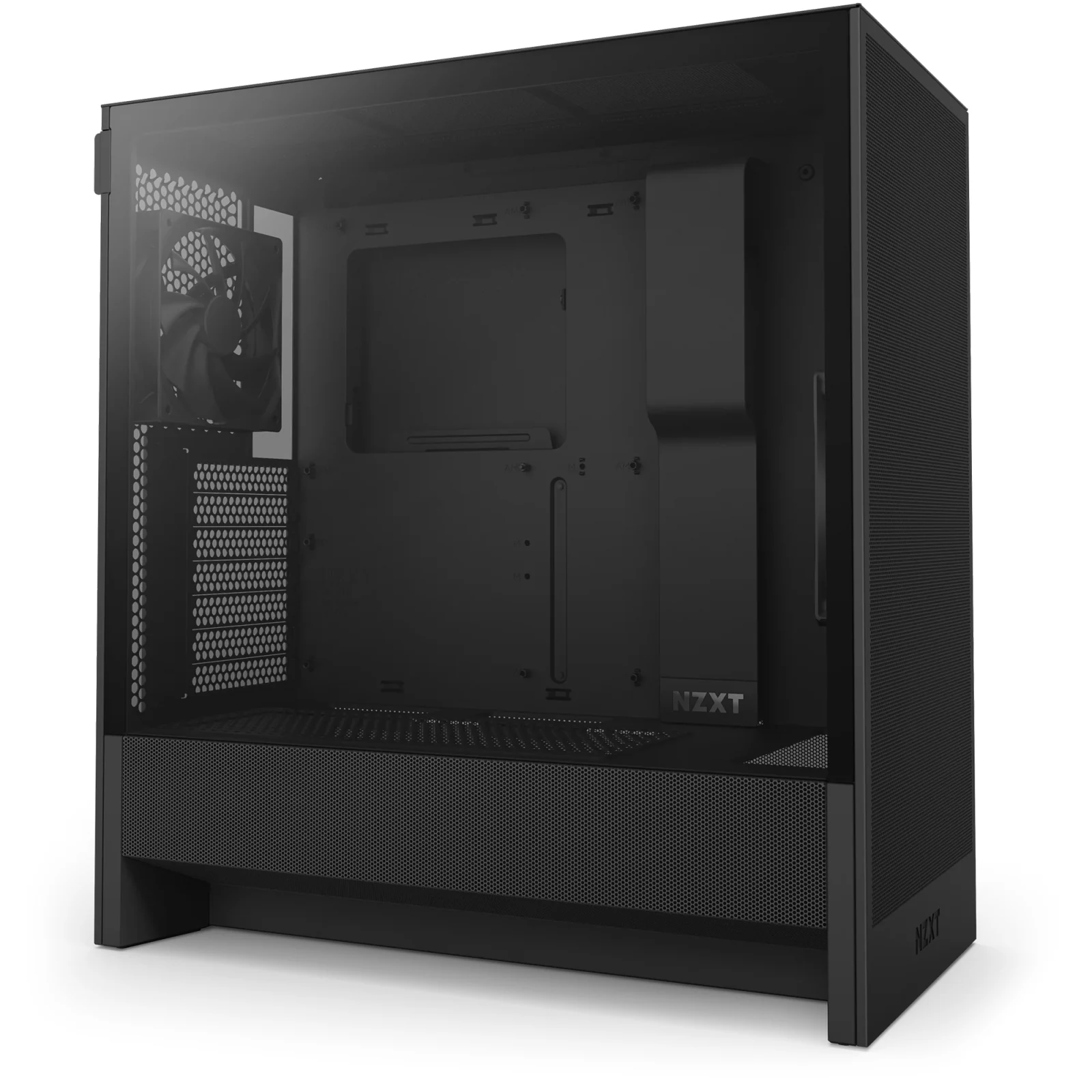
NZXT H5 Flow, $60 - $80. The most unusual design here, and the one with the most fine print. The power supply shroud is perforated on the side and the bottom so you can put two fans under the graphics card, which is the smartest idea at this price, except those two fans are not in the box. Very fine mesh front, top and side, 360 mm radiator at the front and 240 up top. Who it is for: someone who wants the brand finish and does not mind buying two fans. Who it is not for: someone comparing price tags and stopping there.
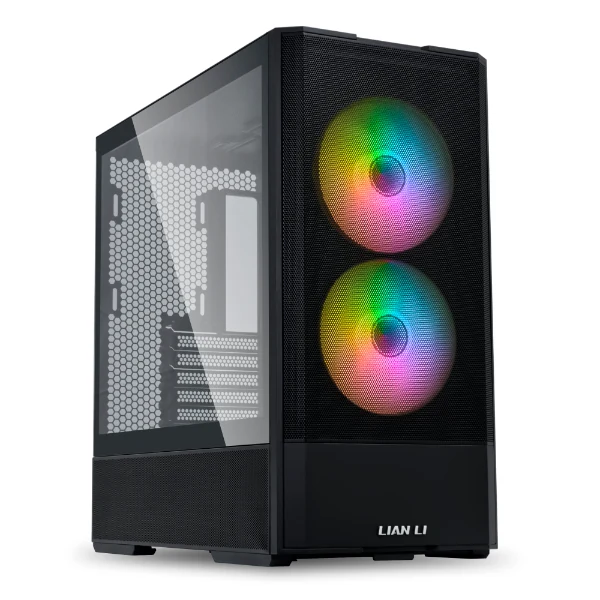
Lian Li Lancool 207, $80 - $110. The footprint of a micro-ATX box that still swallows a full ATX board, because the tray is recessed to buy back the depth. Takes a 360 mm radiator on top, which is not normal in something this small, and cards up to 375 mm. Ships with two 140 x 140 x 30 mm ARGB fans up front. Who it is for: small desk, normal tower. Who it is not for: anyone who wants to swap in generic fans later.
Lian Li Lancool 216, $80 - $110. If the goal is that it breathes and you do not hear it, this is the one. Two 160 mm front fans plus a 140 at the rear, fine mesh on the front, the top and the side of the shroud, and an oddity worth knowing: the motherboard I/O is modular, so you can raise or lower the board depending on whether you run air or a radiator. It measures 480.9 x 235 x 491.7 mm. Who it is for: big tower, big card, a 12V-2x6 cable with room to stay straight. Who it is not for: a narrow desk. Measure first.
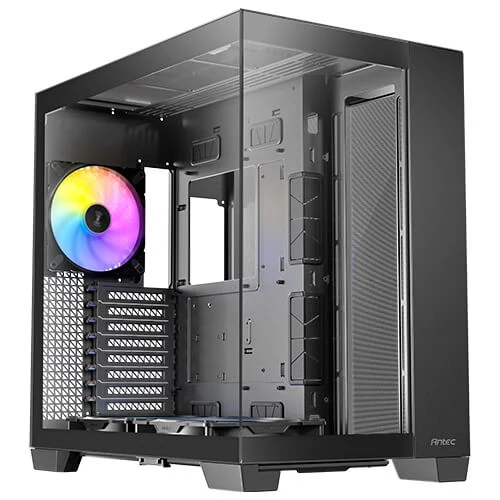
Antec C8 ARGB, $110 - $150. Dual chamber, and the front and side glass panels meet without a frame: cables live behind the tray and the glass shows only hardware. Two Tranquil Reverse ARGB PWM fans of 160 mm and one 140. Reverse means the blades are shaped to look right from the back, which is the side you see when they are mounted at the bottom. Takes thick 360 mm radiators on the top, the bottom and the side at once. Truth is, at this price you are paying for the layout and the finish, not for degrees. I would not pay that unless the machine sits where you look at it every day.
Once the case is settled, the power supply is next, and I did the wattage math in the PSU guide: how many watts your gaming PC needs.
Questions right before you hit buy
Is an expensive case worth anything if I only have a couple of fans?
Not much. A mesh case with four cheap fans breathes better than a hundred and fifty dollar glass one with two. On a tight budget the right order is mesh first, fans second, nice finish last.
Is a mesh front louder?
The opposite. Noise does not come from the mesh, it comes from revolutions. With mesh the fan is not fighting to pull air, so it spins slower for the same result. What mesh does do is let out more of the sound that already exists inside, meaning noisy fans will be more audible. That is a fan problem, not a case problem.
How many fans do I actually need?
Three in and two out covers just about any single-card machine. Past that the gains are a couple of degrees and the noise goes up. If you are going to overspend, spend it on two 140s rather than four 120s.
Is tempered glass worth it?
If the machine sits on the desk where you see it, yes, and it does not have to cost you temperature: the part that must not be glass is the front, not the side. Glass side with mesh front is the combination that works. If the tower lives under the desk, that money does more in fans or in the cooler.
How we choose
We have no lab and no thermal camera, and we are not going to say we tested something we did not. We followed the air through each case using what Antec, NZXT and Lian Li publish: fans included and where they sit, radiator and cooler clearance, and support for back-connect boards. The list runs from a compact mid-tower to a dual-chamber model. Small form factor cases stayed out because the guide covers ATX and compact mid-towers. No brand pays to appear here.
I write every guide with the help of AI tools for research and drafting; I decide which products make the cut, check every figure against the manufacturer’s spec sheet and the price on the day I verify it, and sign the text. — Samuel
And once you have picked the tower, the next question is what you fill it with: how many case fans your PC needs has the current and static pressure math that decides which pack to buy.