Red, Brown or Blue Switches for Gaming in 2026

By Samuel 76 · Founder & Editor
Some links are Amazon affiliate links: we earn a commission if you buy, at no extra cost to you, and it never changes what we recommend. How we make money
If you mostly play, buy red switches: according to Cherry, the company that gave these colors their meaning, a red switch actuates with 45 cN of force after 2.0 mm, with no bump and no click in the way. Pick brown if the same keyboard is also where you write for hours, and blue only if you love the click and nobody shares your room or your mic.
That is the whole answer. The rest of this guide shows the official numbers side by side, the keyboard from our catalog that fits each color, and one detail almost nobody mentions before you buy: what a clicky switch sounds like to the people on your voice chat. If you want to line up two keyboards spec by spec, use the comparison tool, and if you are building the whole desk from zero, start in the PC builder.
One line per player
- Shooters, MOBAs, anything fast: red (linear). Our pick on a budget is the Redragon K617 Fizz.
- You game and you also write a lot: brown (tactile). More on how to get there below, because it is the color our catalog does not cover yet.
- You love the sound and you play alone: blue (clicky), like the Redragon K580 VATA.
- Competitive and you want to tune every key: skip the colors and go magnetic, like the SteelSeries Apex Pro TKL Gen 3.
Cherry's numbers, side by side
The colors come from Cherry MX switches. Most gaming keyboards today use switches from other makers (Outemu, Gateron, HyperX, ASUS and more) that follow the same color logic, but their exact force can change by a few centinewtons. So this table is the reference, not a promise about every red switch on the market.
Table: Cherry MX2A Red, Brown and Blue, official specs
| Switch | Feel | Operating force | Pre-travel | Total travel | Rated keystrokes | Source | Our recommendation |
|---|---|---|---|---|---|---|---|
| MX2A Red | Linear, no click | 45 cN | 2.0 mm | 4.0 mm | Over 100 million | Cherry | The default for gaming |
| MX2A Brown | Tactile bump, no click | 55 cN | 2.0 mm | 4.0 mm | Over 100 million | Cherry | Gaming plus lots of typing |
| MX2A Blue | Tactile bump with click | 60 cN | 2.2 mm | 4.0 mm | Over 50 million | Cherry | Only if the click is the point |
Updated on September 30, 2026, from each switch page on cherry.de.
How to read it. Operating force is how hard you press before the key registers; 45 cN against 60 cN is a difference you notice after an hour of holding W. Pre-travel is how far the key goes down before it counts: blue needs 2.2 mm according to Cherry, red and brown 2.0 mm. The total travel is the same 4.0 mm on all three, so the difference is not how deep the key goes, it is what you feel and hear on the way down.
Red on a budget: Redragon K617 Fizz
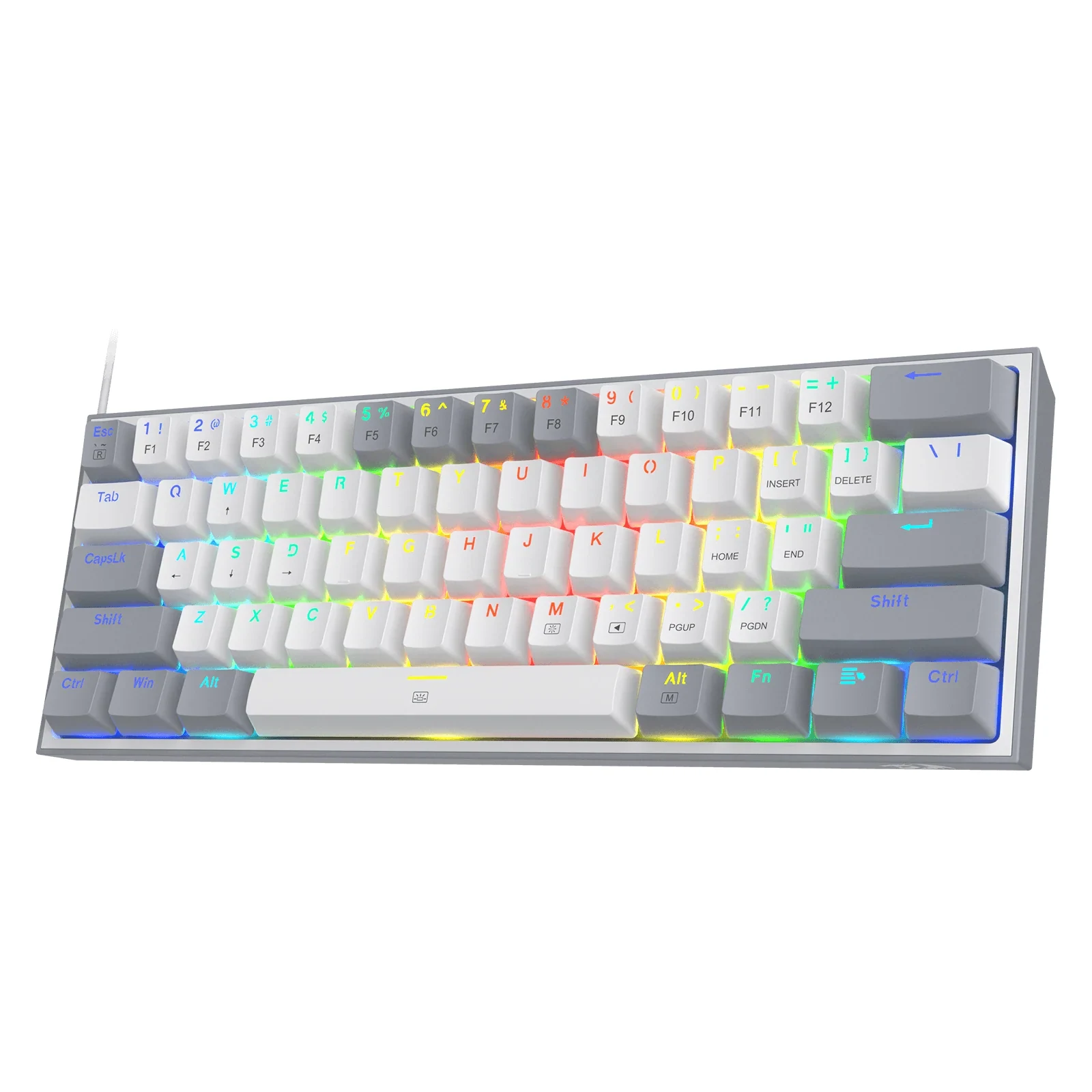
This is where I would send anyone buying their first mechanical keyboard to play. According to its sheet, it has red linear switches, 61 keys in a 60% layout, a wired USB-C connection and RGB lighting. The detail that makes it a smart first buy is that it is hot-swappable and takes both 3-pin and 5-pin switches: if in six months you decide you wanted brown after all, you pull the switches and put new ones in, no soldering. It also appears in our budget keyboard guide, where you can see it next to four other cheap mechanical boards. Price band: $25 to $40.
Red, one step up: HyperX Alloy Rise 75
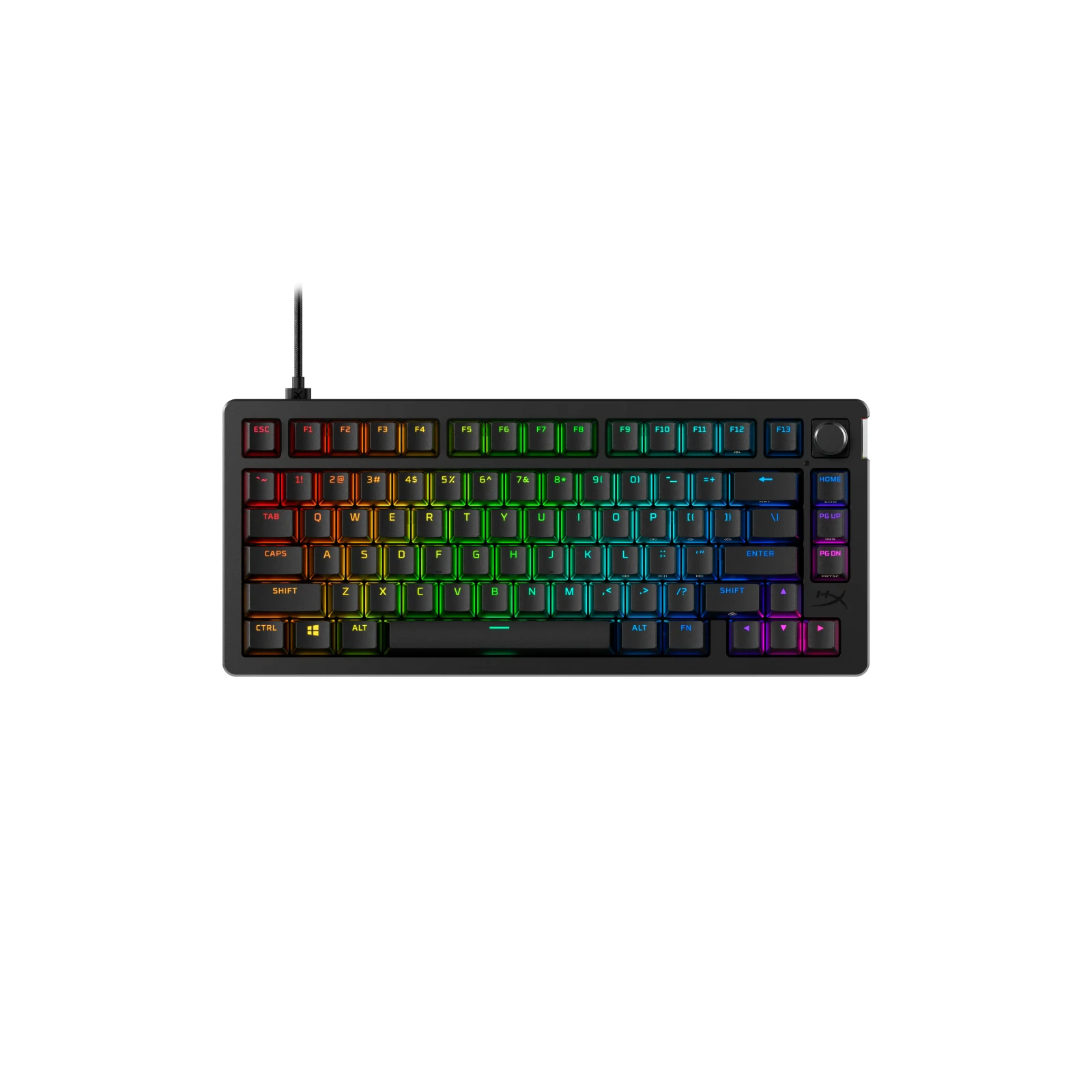
If you want linear switches but a keyboard that feels less like an entry model, this is the step. HyperX lists HyperX Linear switches that come pre-lubed from the factory, a 75% layout that keeps the arrow keys and the function row, a wired USB-C connection, hot-swap sockets and RGB with an ambient light sensor. Heads up: 75% is a size decision as much as a switch decision, and our guide to 60%, TKL or full-size helps with that part. Price band: $80 to $110.
Blue, if the click is the point: Redragon K580 VATA
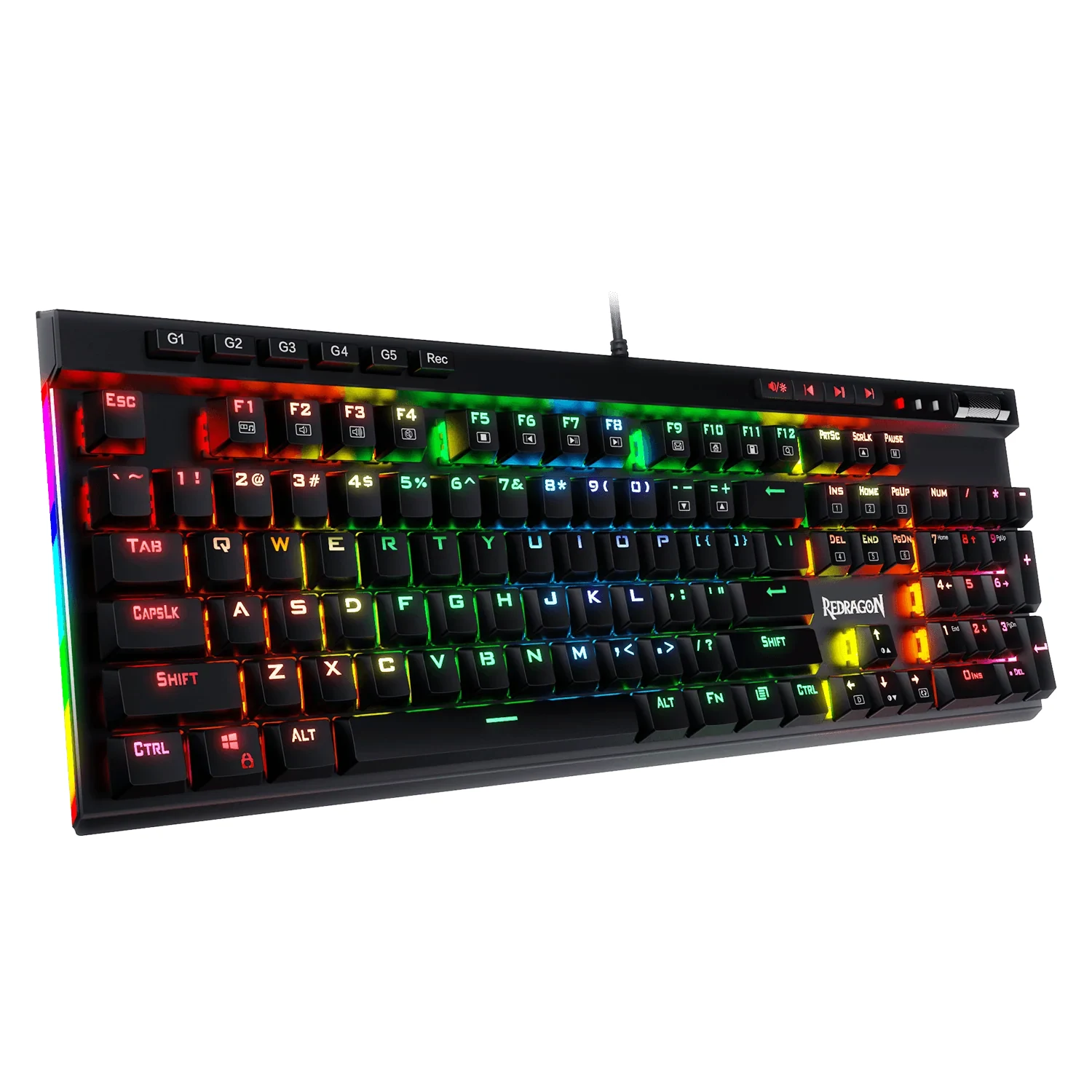
I will not lie to you: I would not buy blue switches to play. But some people type all day and love the sound, and for them this makes sense. Redragon lists Outemu Blue clicky switches, a full-size 104-key layout with dedicated macro keys, a wired USB-C connection, RGB and hot-swap sockets. That last one matters here too: if the click ends up bothering you, or the people around you, hot-swap lets you change it without buying another keyboard. Price band: $40 to $60.
Brown: the middle ground, and the hot-swap route
Brown is the switch I would recommend to someone who games at night and writes reports during the day on the same keyboard. Cherry describes it as tactile with no click: you feel a small bump at the moment the key registers, but you do not hear it. There is no brown-switch keyboard in our catalog yet, and I prefer to say that instead of putting in one that has not been verified. The honest route today is a hot-swap board: the K617 takes 3-pin and 5-pin switches according to its sheet, and the K580 and the Alloy Rise 75 are hot-swap as well. Before buying loose switches, check which pin type your keyboard accepts.
The four keyboards on one sheet
Table: switch and layout of each keyboard in this guide
| Keyboard | Switch (brand sheet) | Type | Layout | Hot-swap | Connection |
|---|---|---|---|---|---|
| Redragon K617 Fizz | Red linear | Linear | 60%, 61 keys | Yes (3- and 5-pin) | Wired USB-C |
| HyperX Alloy Rise 75 | HyperX Linear (pre-lubed) | Linear | 75% | Yes | Wired USB-C |
| Redragon K580 VATA | Outemu Blue | Clicky | Full-size, 104 keys | Yes | Wired USB-C |
| SteelSeries Apex Pro TKL Gen 3 | OmniPoint 3.0 HyperMagnetic (Hall effect) | Magnetic, adjustable | TKL | No | Wired USB-C |
Data from each product sheet in our catalog, checked against the brand. Updated on September 30, 2026.
Past the colors: SteelSeries Apex Pro TKL Gen 3
If you play competitive for real, the color question has a fourth answer. Magnetic switches do not use a metal contact; they read the position of the key with a Hall effect sensor, and that lets you choose where each key registers. SteelSeries lists OmniPoint 3.0 HyperMagnetic switches with an actuation point you can set from 0.1 to 4.0 mm in 40 levels, a TKL layout and a wired USB-C connection. It is not hot-swappable, and it costs a lot more than the rest of this guide: $150 to $200. In our guide to the best gaming keyboards we compare it with the other magnetic and analog options.
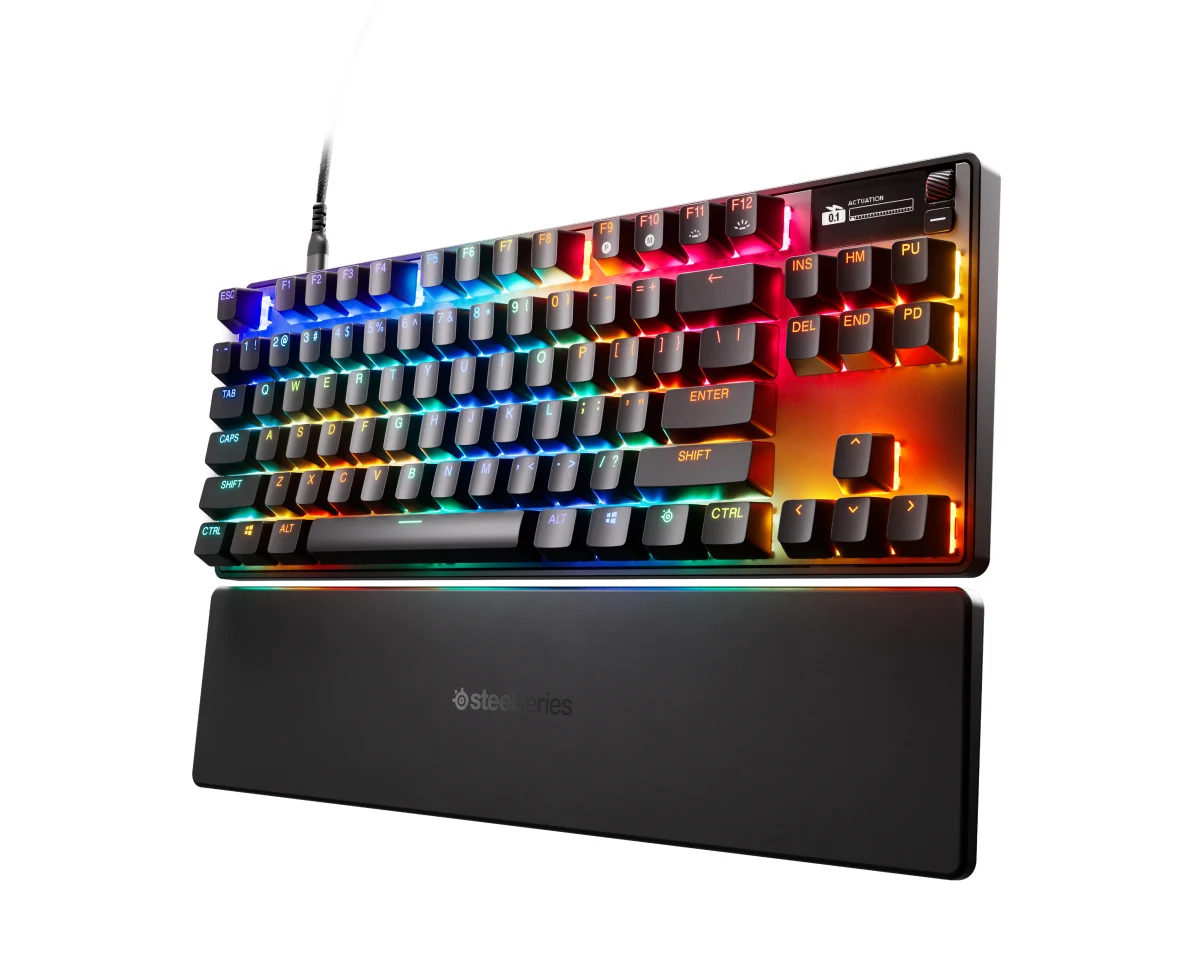
SteelSeries Apex Pro TKL Gen 3 - OmniPoint 3.0 Hypermagnetic Gaming Keyboard
View on Amazon (paid link)
Your mic hears the click too
This is the part almost nobody mentions. Cherry sells the blue switch on its tactile and audible feedback, and a desk microphone does not know the difference between your voice and a click a few inches away. If you stream or talk on Discord with a USB mic on the desk, blue switches become the sound your friends hear every time you move. Red and brown have no click, which does not make them silent, but it takes the loudest part away. If you are still deciding on the mic side, start with headset mic or USB mic and our streaming microphone picks. And if you share a small room, the small-room setup guide is written with exactly that in mind.
How we choose
We have no lab and we are not going to claim we tested these switches. We compare the official specs of each switch on cherry.de and the product sheets of each keyboard from the brand. Price bands come from our catalog, with the date they were checked. Optical switches stayed out because the comparison is the three Cherry colors, with magnetic as the one alternative. No brand pays to appear here.
I write every guide with the help of AI tools for research and drafting; I decide which products make the cut, check every figure against the manufacturer's spec sheet and the price on the day I verify it, and sign the text. — Samuel
Frequently asked questions about switch colors
Are red switches better for gaming than blue?
For most people, yes. According to Cherry, red needs 45 cN and registers after 2.0 mm, while blue needs 60 cN and 2.2 mm, plus a click. That does not make you a better player, but it is less effort per press and less noise on your mic.
Are brown switches good for gaming?
Yes. Brown sits between the two: 55 cN of operating force and 2.0 mm of pre-travel according to Cherry, with a bump you feel and no click. If you type as much as you play, it is the safer bet.
Do all red switches feel the same?
No. The color is a convention that started with Cherry; brands like Outemu, Gateron or HyperX make their own versions, and the exact force and feel change by maker. Read the switch name on the keyboard sheet, not only the color.
Can I change the switches later?
Only if the keyboard is hot-swappable. The K617, the Alloy Rise 75 and the K580 are, according to their sheets; the Apex Pro TKL Gen 3 is not. Check whether the sockets take 3-pin or 5-pin switches before you buy a set.
Do blue switches get picked up by a microphone?
A desk mic a few inches from the keyboard will usually catch the click, because making a sound is what a clicky switch is designed to do. A headset mic close to your mouth picks up less of it. If you stream, red or brown is the easier choice.
What I would put under my fingers
If you play shooters most of the time, it is red, no doubt, and if I were starting from zero I would buy a hot-swap board like the K617 so the decision is never final. Brown if your keyboard is also your work tool. Blue only if you love the click and nobody else has to hear it. And if you still cannot decide, pick the one you can change later: that is worth more than any color. For the rest of the desk, our ergonomics guide covers wrist position on long sessions, and if the mouse is next, here is which mouse fits each game.