Headset Mic or USB Mic? How to Know Which You Need

By Samuel 76 · Founder & Editor

Some links are Amazon affiliate links: we earn a commission if you buy, at no extra cost to you, and it never changes what we recommend. How we make money
Your voice sounds thin, far away, like a phone call from 2009. Before you spend a single dollar on this: in most cases the problem is not the microphone you own. It is how that microphone is connected.
This one is for the person who already has a gaming headset with a boom mic and keeps wondering whether a separate microphone is worth it. We are going to run a check that takes ten seconds, fix what is free, and only then talk about buying. If you already made up your mind and just want the lineup, that is the job of our streaming microphone guide, and the connector question is answered in USB or XLR.
Every product we name lives in our catalog, you can put two of them side by side in the comparison tool, and if this is part of a bigger upgrade, the PC builder is right there.
The ten-second check that explains most bad mics
Open the Windows sound settings and look at the input list. If your headset appears twice — once as normal audio and once with Hands-Free or Hands-Free AG Audio next to the name — you are on Bluetooth, and that second entry is the one Windows hands to any app that asks for a microphone.
That is the whole story for most people. Classic Bluetooth cannot send good audio out and take audio in at the same time (the exception is a headset with Bluetooth LE Audio on a Windows 11 PC that supports it). The second an app opens the mic, the link drops from the stereo music profile to the hands-free calling profile, and the sound in both directions goes down with it. Turtle Beach says the same thing in its own support material about wireless headset mics: on Bluetooth, your mic path is a phone-call path, not an audio path.
If your headset runs on a 2.4 GHz USB dongle instead, or it is plugged in with a cable, that switch never happens. Same headset, same capsule, completely different result.
What the numbers actually say
This is where it stops being an opinion. The hands-free profile runs at 8 kHz, and the wideband version that better headsets support (mSBC) reaches 16 kHz. At 8 kHz, what survives is roughly the 300 to 3,400 Hz band, the same band an old landline used, and even at 16 kHz nothing above about 7,000 Hz gets through. It is not that your voice sounds worse. It is that most of your voice is never sent.
A USB microphone captures at 48 kHz, which is exactly the rate Discord encodes at with Opus, at 64 kbps by default on a server with no boosts. So the chain from your mouth to your friend's ears has one narrow point, and on Bluetooth that point is the very first link, long before the codec gets involved.
Heads up, the honest version matters: a 2.4 GHz headset mic is better than Bluetooth, not equal to a USB mic. It is still a small capsule on a plastic boom, usually mono, and still limited compared to anything on a stand. For a lot of people that is completely fine, and that matters more than any spec sheet.
Three fixes that cost you nothing
- Kill the hands-free device. In the Windows sound panel, disable the Hands-Free entry of your headset so no app can grab it. If your headset came with a 2.4 GHz dongle, use the dongle and leave Bluetooth for your phone.
- Move the boom. Two fingers away from the corner of your mouth, slightly to the side, never straight in front of your lips. Distance is the single thing that changes a voice the most, and it is free.
- Lower the gain and get closer. A low input level with your mouth close beats a high input level with the mic across the desk, because the loud setting brings the whole room in with you.
Then listen again properly: record yourself with the recorder app built into Windows, not inside a call, so nobody else's noise suppression colors what you hear.
When buying a mic is the right call
If the three fixes did not settle it, here is how I would split the decision. The question is never whether a USB mic is better, of course it is. It is whether that difference lands on anything you care about.
| What you do | Does a separate mic pay off? |
|---|---|
| Discord with friends, nothing recorded | Not really. A 2.4 GHz headset does this job. |
| Competitive, comms all night | No. You need to be understood, not to sound warm, and the boom is always in the same spot. |
| Streaming or YouTube | Yes. Your voice is on that recording forever, and bad audio is what makes people leave. |
| Podcast, interviews, client work | Yes, and it is the first thing to spend on, before the camera. |
Declared bias: I make videos for my own channels, so I am in the bottom half of that table.
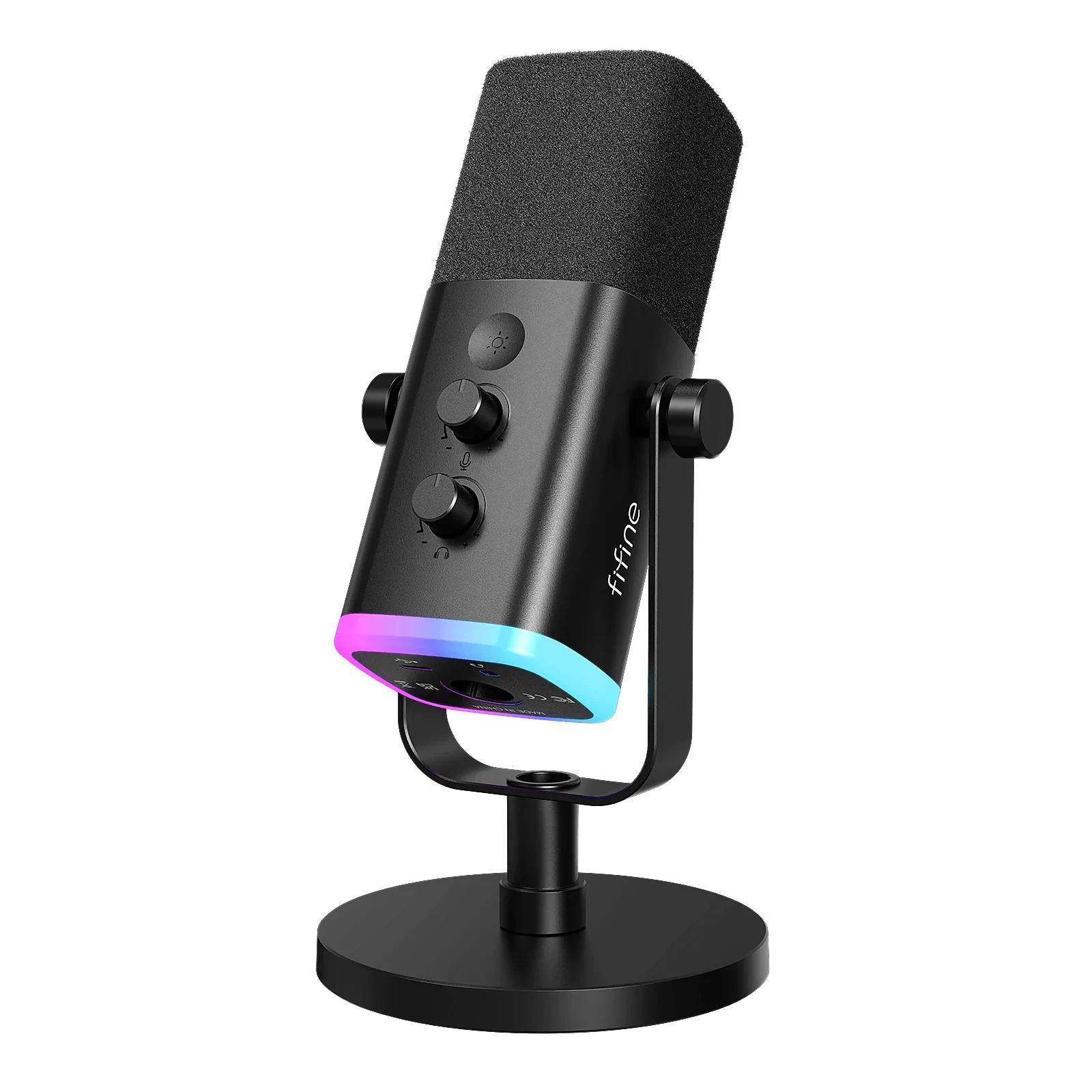
FIFINE AM8, the cheapest honest way in
A dynamic mic that hears what is in front of it and mostly ignores the rest, with USB for today and XLR for the day you own an interface. In a bedroom with a fan, a mechanical keyboard and a family behind the door, that pattern does more for you than a fancier condenser would. It sits at $40 to $60; FIFINE lists it as a cardioid dynamic, a pickup pattern built to favor sound from the front over sound from the sides and back.
Where it falls short: the included desk stand puts it too far from you, so plan on a boom arm from day one, and the build is plastic where the expensive ones are metal.
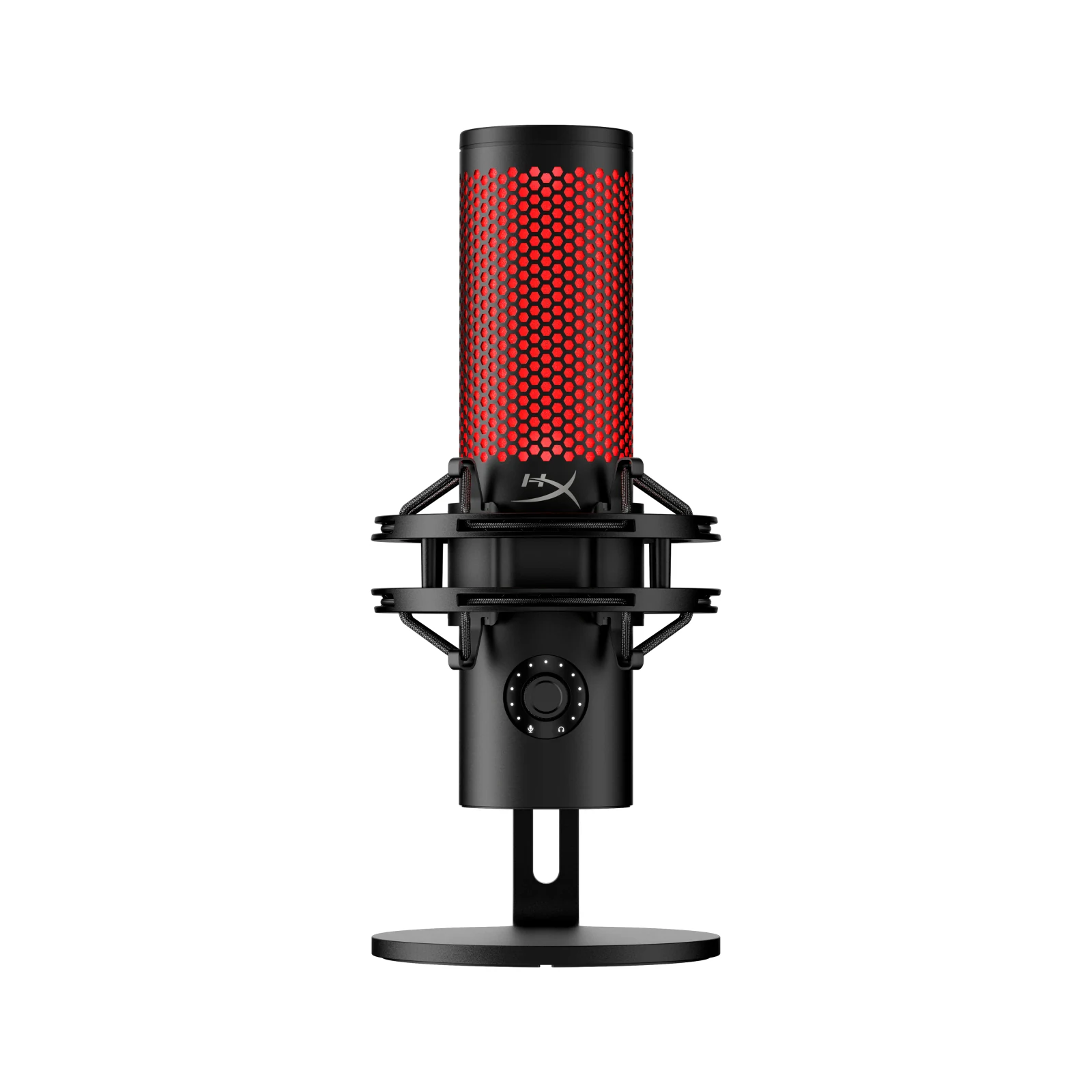
HyperX QuadCast 2, the one that ends the question
This is the mic most people land on and then stop researching. Tap-to-mute on top, gain dial underneath, four patterns for when you record with someone next to you, and a shock mount in the box so desk bumps do not land in the recording. HyperX lists 24-bit / 96 kHz recording over plain USB (it can also run at 48 kHz, the rate Discord uses), no interface, no drivers.
Where it falls short: it is a condenser, so it hears the room. If your room is loud, the AM8 above is the smarter buy even though it sits a tier below.
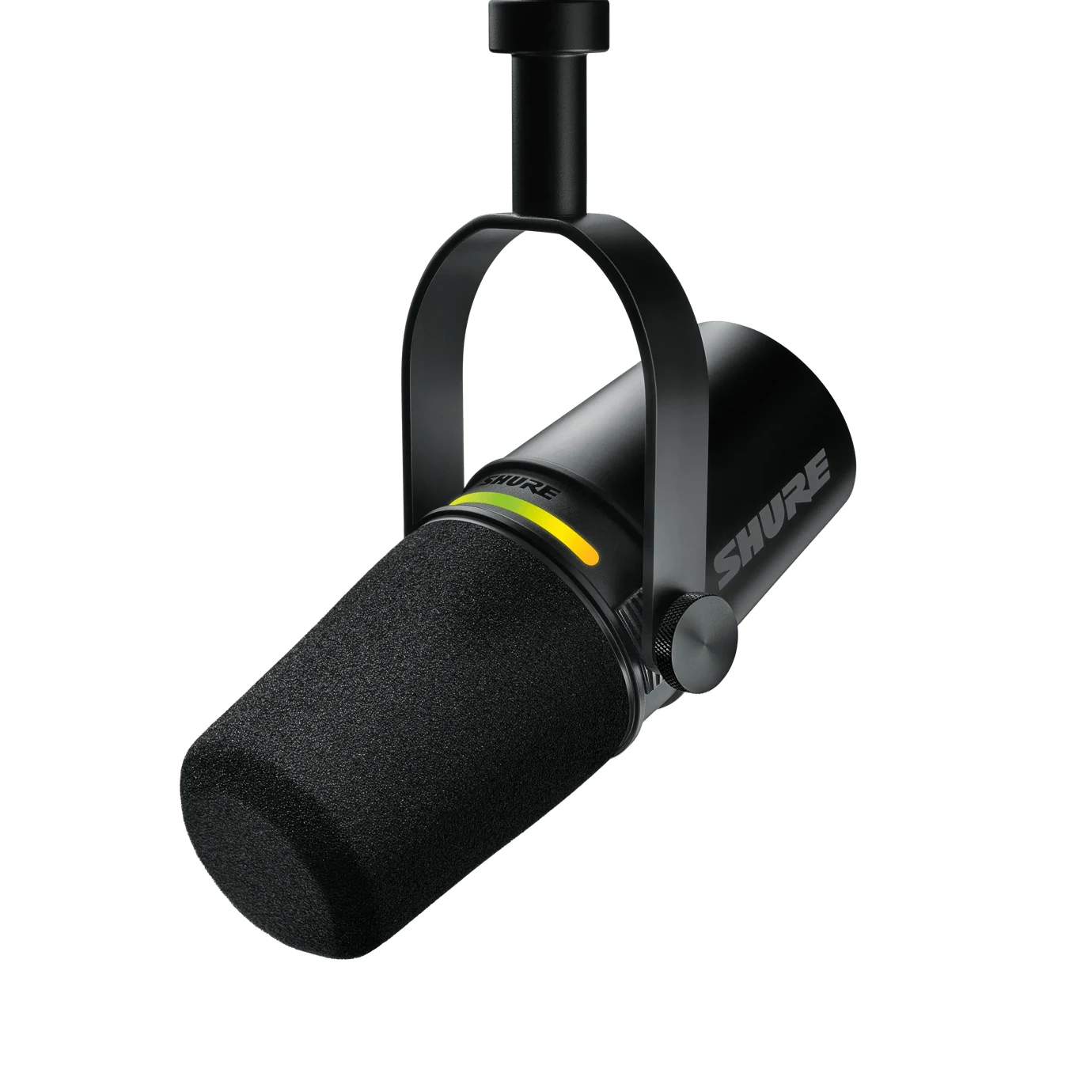
Shure MV7+, when your voice is the product
Dynamic, USB-C and XLR at the same time, with onboard processing so the same setting sounds the same every session. If you are recording a podcast, interviews or work you get paid for, this is the piece that stops being an upgrade and starts being equipment. It lands around $280 to $400.
Where it falls short: the price is the price, and for Discord it is money that would do more inside your PC. I would not pay that to talk to four friends.
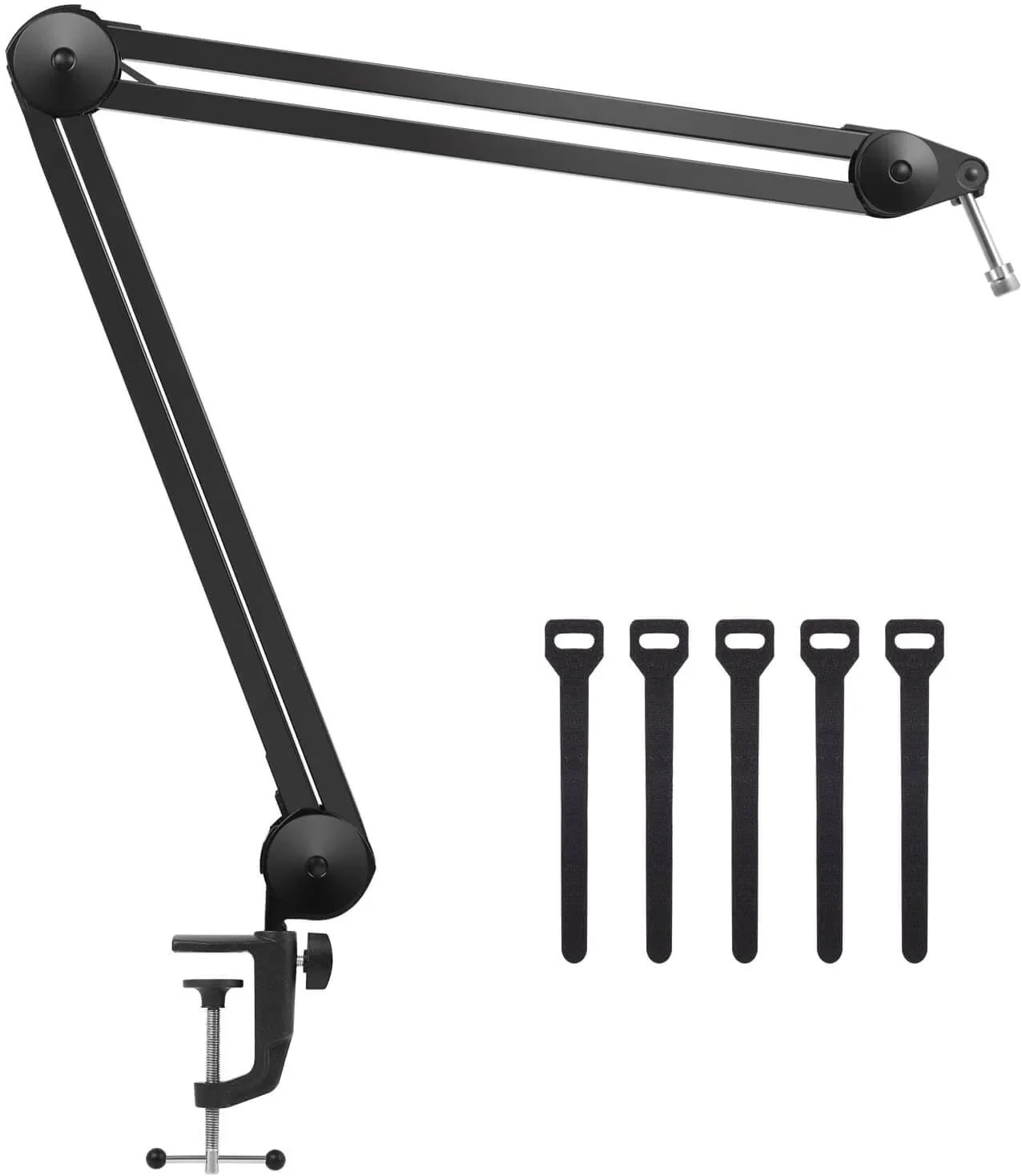
The step almost everyone skips
If you buy a microphone and leave it on the desk, you paid for a capsule and then threw away half of what it does. A boom arm puts the mic where your voice actually is, gets the keyboard off the same surface, and stops you leaning forward every time you talk. In terms of audible difference per dollar, this beats moving up a mic tier, and it is the cheapest thing in this guide at under $25.
Where it falls short: the clamp needs a desk edge it can bite, so a thick glass top or a desk against the wall can be a problem. Measure before you order.
How we choose
We do not have a lab and we are not going to pretend otherwise. The technical part leans on the published behavior of the Bluetooth hands-free profile and on Discord documentation of its voice pipeline. The three microphones come from the FIFINE, HyperX and Shure spec sheets, one per case in the table, from the cheapest USB mic to a USB and XLR hybrid. XLR-only setups stayed out because our USB or XLR guide covers them. No brand pays to appear here.
I write every guide with the help of AI tools for research and drafting; I decide which products make the cut, check every figure against the manufacturer's spec sheet and the price on the day I verify it, and sign the text. — Samuel
Frequently asked questions about headset mics and USB mics
Will a USB mic fix the noise my friends complain about?
Partly. A dynamic mic with a tight pattern picks up far less of the room than a headset boom does, but a loud fan two feet away still gets in. Placement first, then the mic.
Can I use my headset for sound and a separate mic for voice?
Yes, and that is the normal setup. Windows lets you pick output and input separately, and so does Discord. Just make sure the headset is not connected over Bluetooth, or the hands-free switch can still drag your playback down with it.
Does a boosted Discord server make my mic sound better?
It raises the bitrate ceiling, which helps a clean source and does very little for a noisy one. A quiet room at the default bitrate beats a noisy room at the highest one.
Is a condenser or a dynamic better for gaming?
Dynamic, in almost every bedroom. Condensers sound better in a treated room and worse in a real one, and nobody reading this has a treated room.
What I would do with the headset I already own
Run the ten-second check. If the word "Hands-Free" is in that list, you have been judging your microphone by the worst possible version of it, and the fix is free. Get off Bluetooth, move the boom, record yourself once, and be honest about whether it still bothers you.
If it does, and you are recording anything at all, the QuadCast 2 is the safe answer and the AM8 is the smart one if your room is loud. And whichever you pick, buy the arm with it. That is the part people regret skipping, not the mic they chose.
If your headset turned out to be the problem rather than the mic inside it, our guide to wireless gaming headsets covers what a 2.4 GHz dongle buys you over Bluetooth.