60%, TKL or Full-Size Keyboard: Which Is Right for Gaming in 2026

By Samuel 76 · Founder & Editor
Some links are Amazon affiliate links: we earn a commission if you buy, at no extra cost to you, and it never changes what we recommend. How we make money
Short answer: a TKL is the safe size for most players, and it is the most common layout among the pros ProSettings.net tracks (checked on October 2, 2026); a 60% frees the most room for the mouse if you play shooters at low sensitivity; a full-size only pays off if you use the number pad or MMO macros. The rest of this guide shows how many keys each 60%, 65%, TKL, 75% and full-size layout drops, with one keyboard per size and the maker's specs behind it.
The short version
- Competitive shooters: 60% — Redragon K617 Fizz
- Balance (you want arrows): 65% — RK Royal Kludge RK68
- The safe standard: TKL — Redragon K552 Kumara
- MMOs and productivity: full-size — Redragon K580 VATA
- Premium, for typing as much as gaming: 75% — HyperX Alloy Rise 75
The five keyboards, spec by spec
| Keyboard | Size | Keys | Hot-swap | Stock switches | Source |
|---|---|---|---|---|---|
| Redragon K617 Fizz | 60% | 61 | Yes | Red, linear | Redragon |
| RK Royal Kludge RK68 | 65% | 68 | Yes (3 and 5 pin) | Red, linear | Royal Kludge |
| Redragon K552 Kumara | TKL | 87 | No | Outemu Red, linear | Redragon |
| Redragon K580 VATA | Full-size | 104 + 5 macro keys | Yes | Blue, clicky | Redragon |
| HyperX Alloy Rise 75 | 75% | Not listed by HyperX | Yes | HyperX Red, linear | HyperX |
Figures from each maker's product page, checked on October 12, 2026. All five connect by cable. Royal Kludge's site only lists the RK68 with wireless; the version we link is the wired one, so its key count and hot-swap come from RK's page and the cable from the Amazon listing.
The number we worked out from that table: going from the K580 to the K552 drops 17 keys, exactly the number pad; going down to the K617 drops 43, 41% of a full-size board (we count the K580's 104 standard keys, not its five macro keys). Every one of those keys came off the right side, which is the side your mouse lives on.
60%: maximum space, minimum keyboard
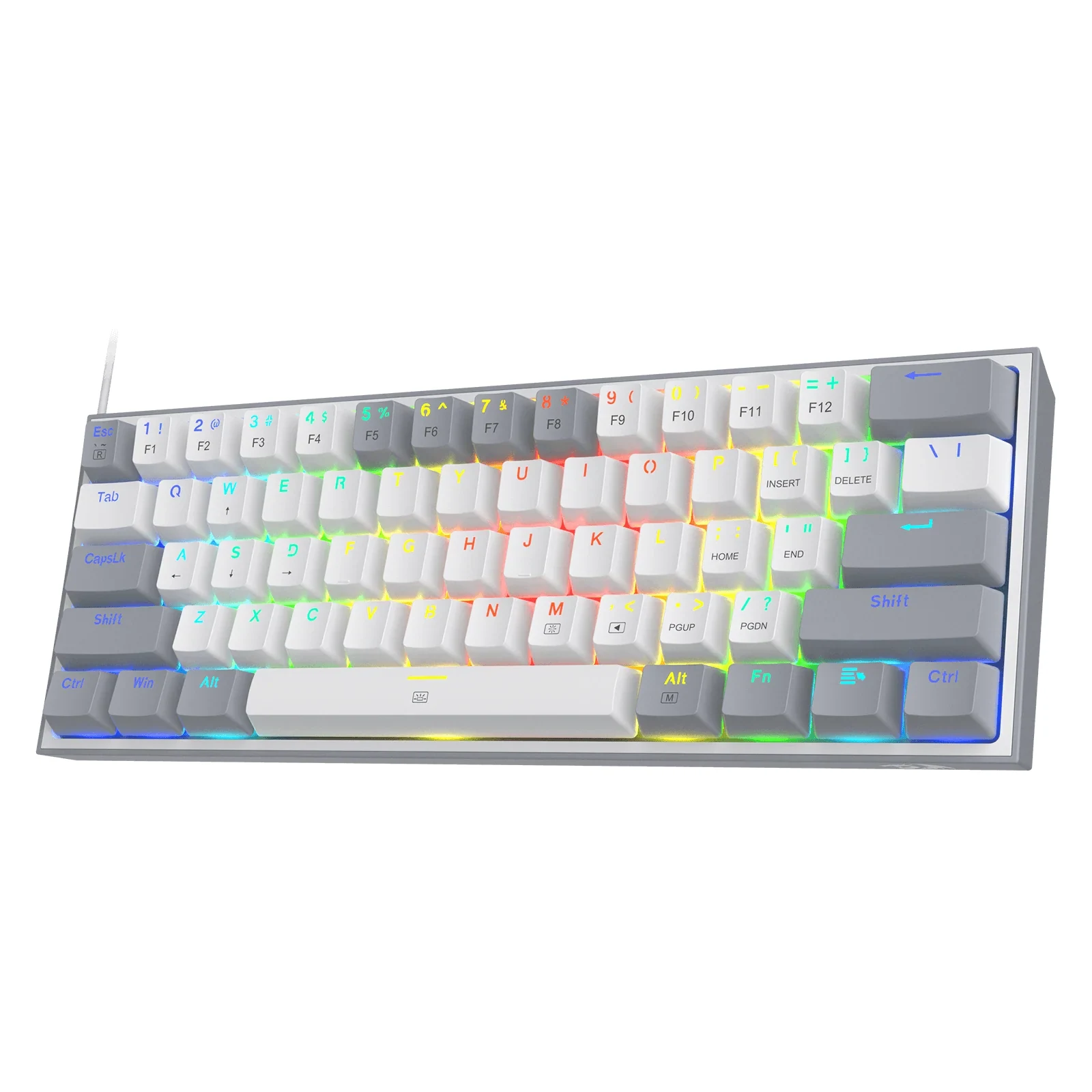
A 60% drops the arrows, the F row and the number pad; those keys move to a function layer you reach with Fn. If you play shooters at low sensitivity and only use WASD, the numbers and a few letters, that trade gives the mouse the most room of any size here. The K617 Fizz (paid link) is our pick in the $25 to $40 price band: 61 keys, hot-swap sockets and RGB, per Redragon, 43 keys fewer than a full-size board.
The catch shows up outside the match: F5 or F12 become two-key combos, which matters if a game uses them for a quick save or a screenshot. If you use arrow keys every day, for work, spreadsheets or games that bind them, the RK68 gives you real arrows for 7 more keys.
65%: the middle step
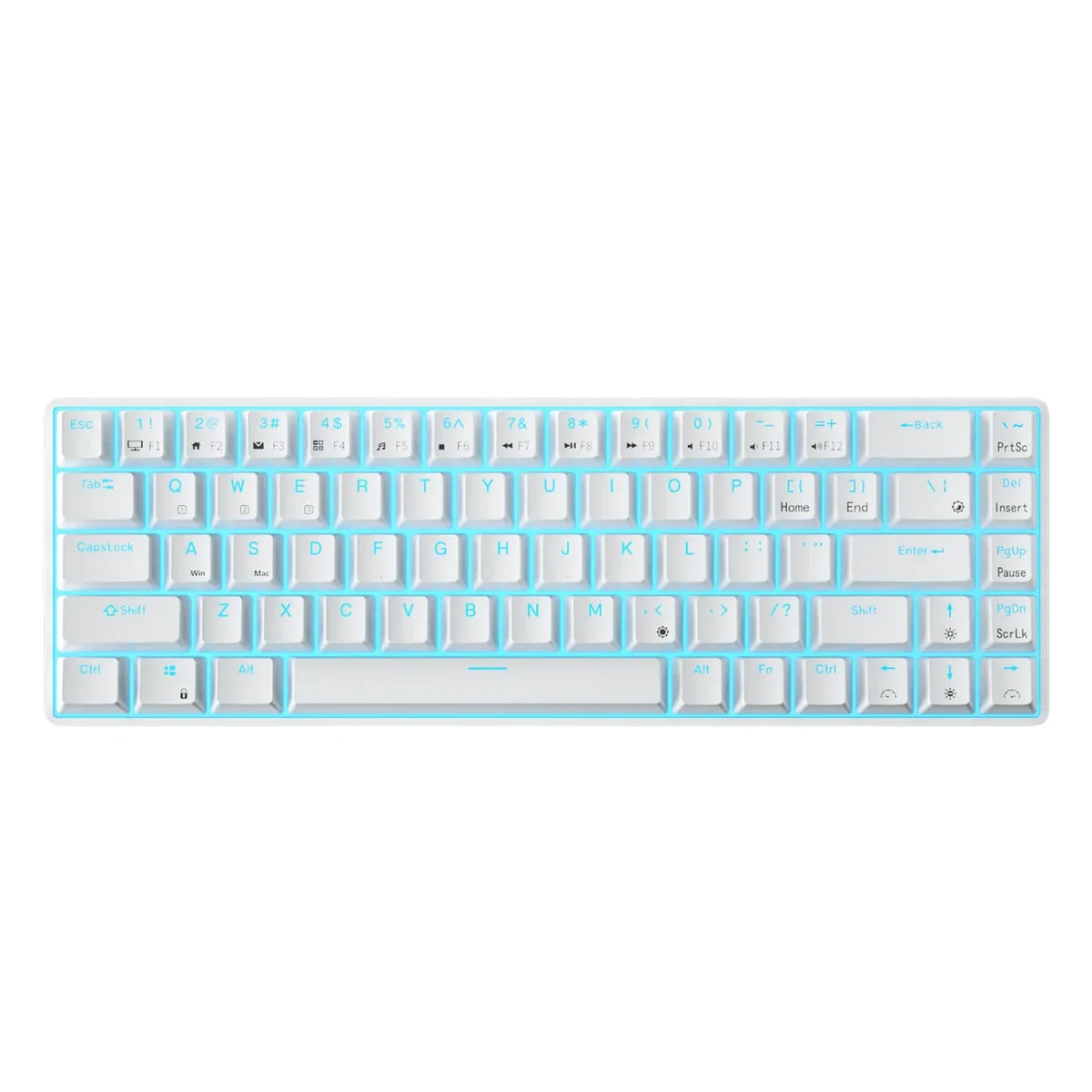
Seven keys: that is the whole difference between the RK68 (paid link) and the K617, and those seven are the arrows and a short column of navigation keys like Delete. Royal Kludge lists 68 keys and hot-swap sockets for 3 and 5 pin switches. It suits people who want the room of a small board without reaching for Fn every time they move a cursor.
It still has no F row, so if you press F keys a lot, for MMO hotkeys or work shortcuts, the K552 TKL or the Alloy Rise 75 serve you better. Before you buy, check the listing: Royal Kludge sells the RK68 with wireless on its own site, but the version we link is the wired one.
TKL: the esports standard
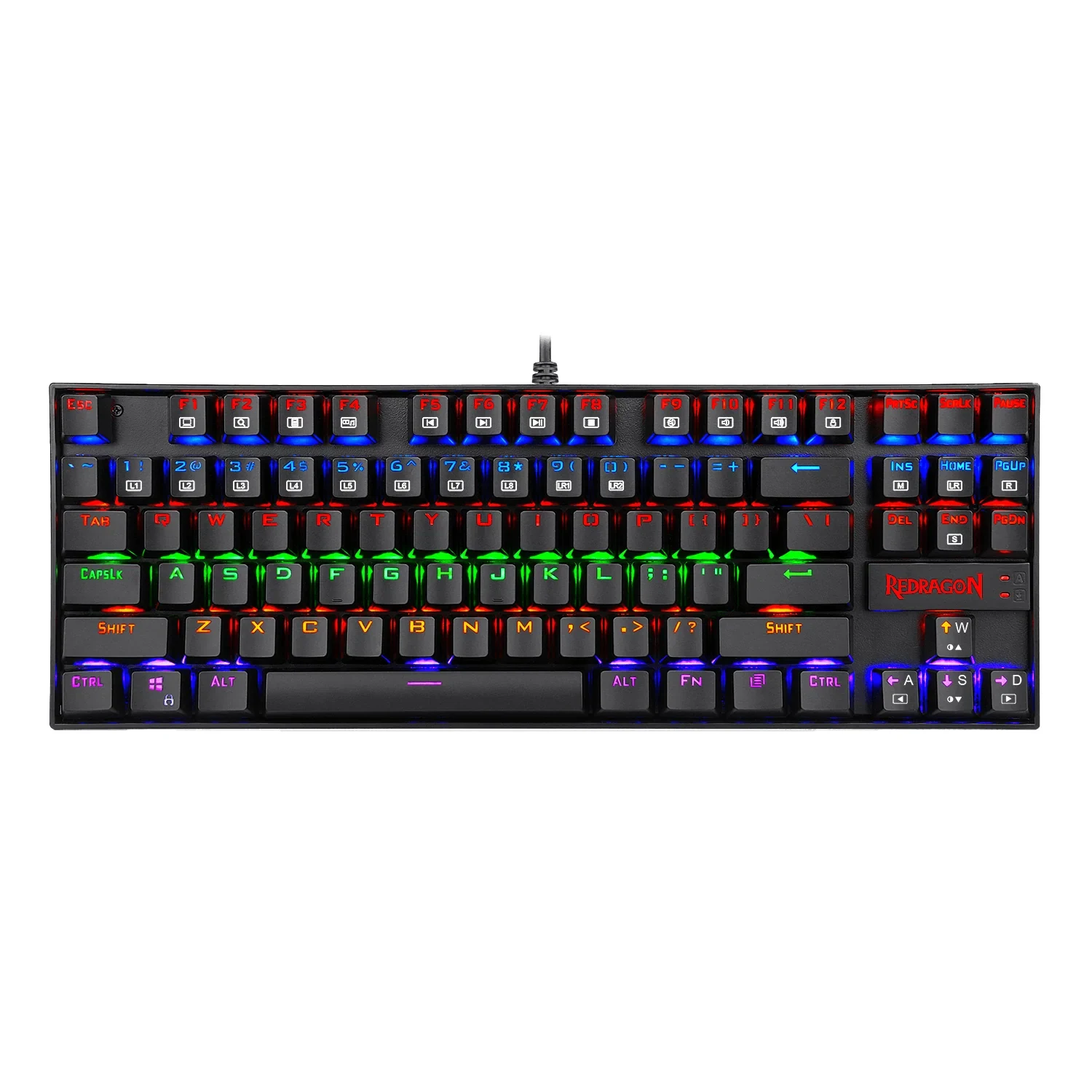
Everything except the number pad: you keep the F row and the arrows and give the mouse the space of 17 keys. It is the most common layout among the pros ProSettings.net tracks (checked on October 2, 2026), and the safest choice if you are unsure, because it only drops the keys most players use least. The K552 Kumara (paid link) is our budget TKL: 87 keys, Outemu Red linear switches and a base of metal alloy and ABS, per Redragon.
What it does not do is let you swap switches. It is the only one of the five without hot-swap, so a failed switch is a soldering job, and if you want to try other switches, the RK68 or the K580 are the ones to look at.
Full-size: for number pad users
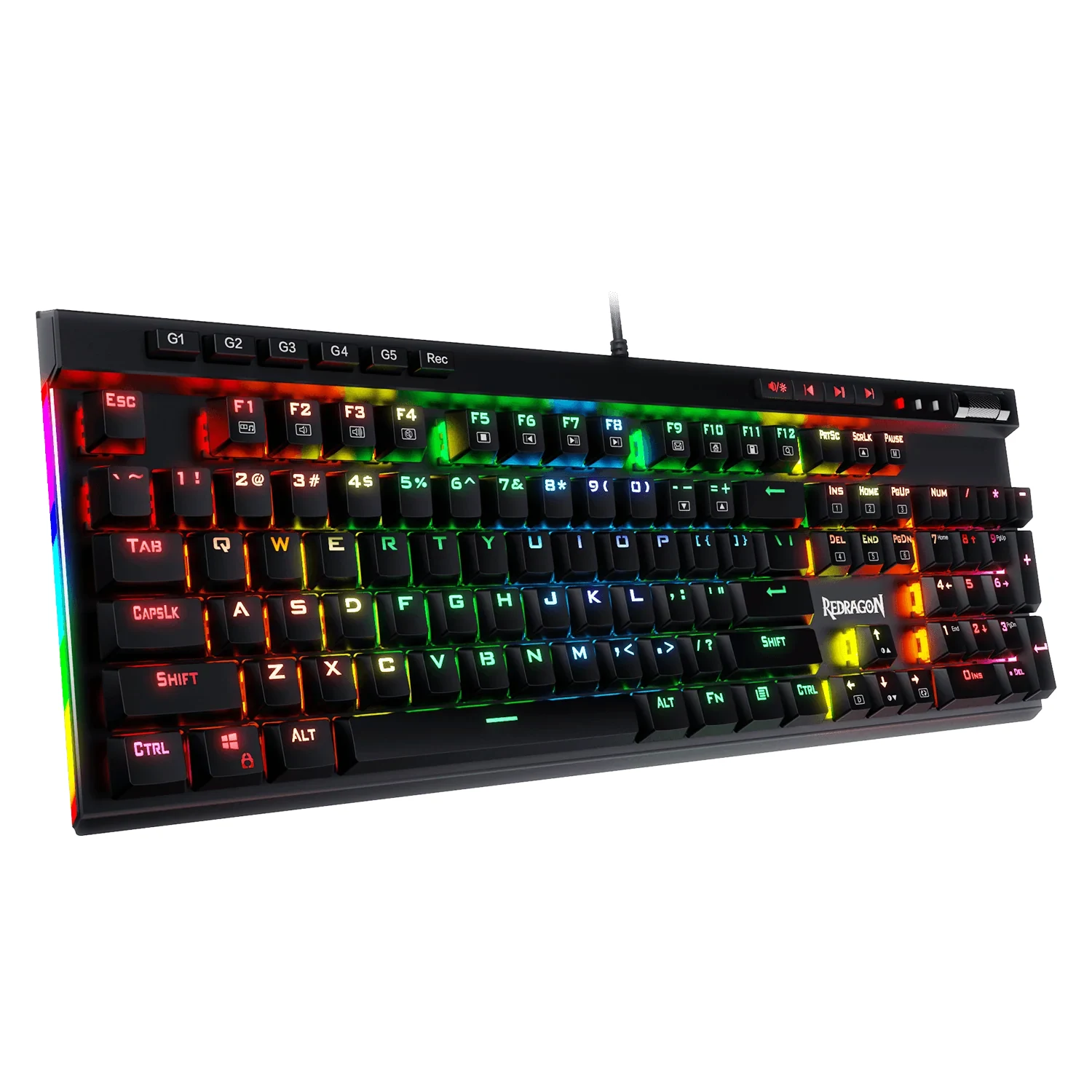
Five macro keys, G1 to G5, that no other keyboard on this list has. If you play MMOs with macros, work with numbers or will not give up the number pad, the K580 VATA (paid link) adds them to 104 keys, dedicated media controls and hot-swap blue switches in the $40 to $60 price band, per Redragon.
For shooters at low sensitivity it is the wrong board: with 109 keys it is the biggest one here, and the K617 or K552 give that room back to the mouse. Also know what blue means: the clicky type, built to click on every press. If you share a room or play with an open mic, its hot-swap sockets let you change them without soldering.
75%: the compact board, done premium
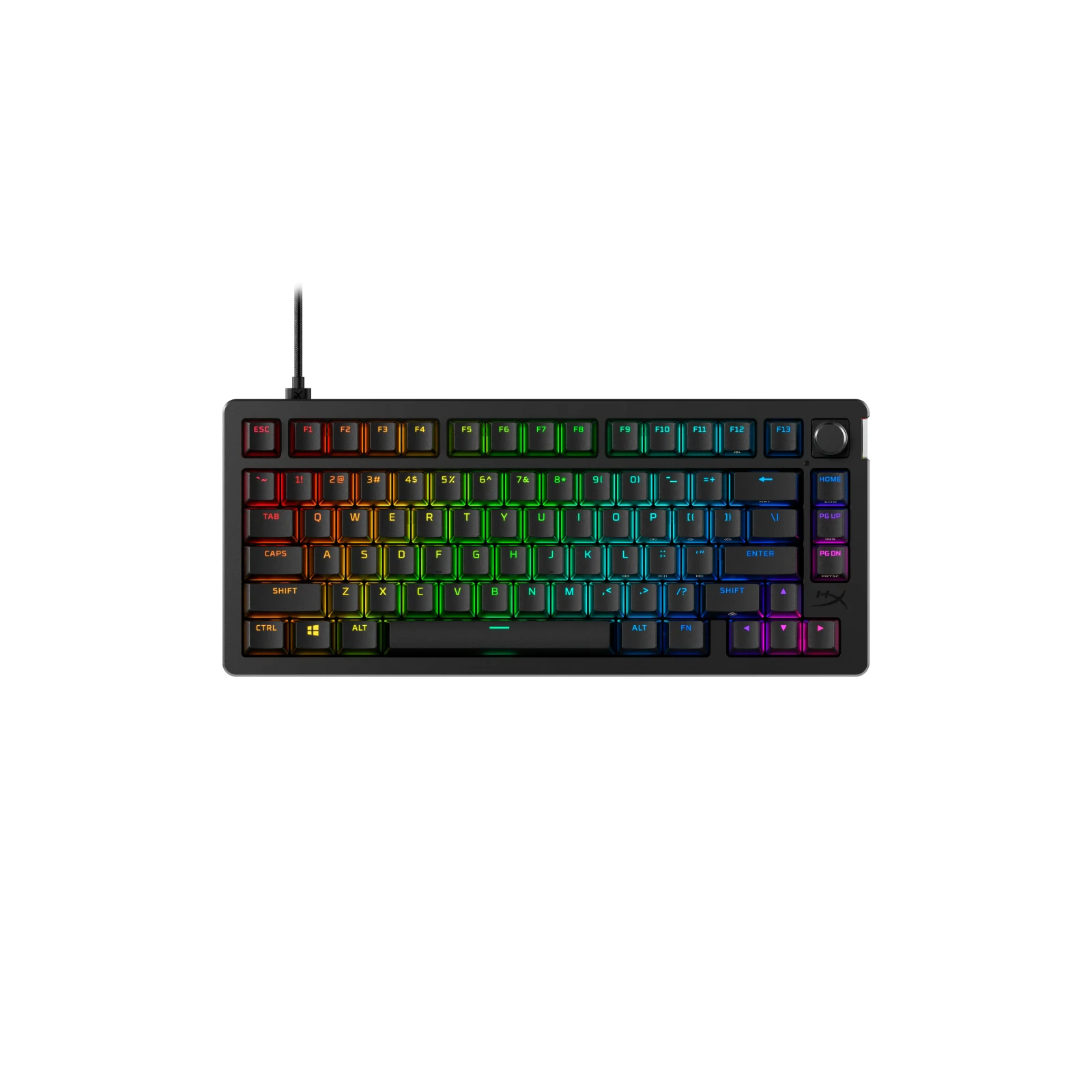
A 75% keeps the F row and the arrows, stacks the navigation keys in one column and moves a few rarely used keys to a function layer. The HyperX Alloy Rise 75 (paid link) is our premium pick, and the only one of the five whose maker lists 8000 Hz polling: gasket mount, hot-swap, HyperX Red linear switches and an ambient light sensor that adjusts the lighting, per HyperX, in a body 330.8 mm wide. It is for people who type as much as they play and want the F row without the width of a TKL.
On a tight budget it is hard to justify: the K552 keeps the same F row and arrows for much less, and you give up only hot-swap and the gasket mount. HyperX does not list its key count, and like the other four it connects only by cable (USB-C to USB-A).
How to decide in 30 seconds
Low sensitivity and pure aim: 60%. Arrow keys every day: 65%. Unsure: TKL, because it only drops the number pad. You use the number pad or macros: full-size. Budget is not the issue and you type a lot: the premium 75%. Each of these five is our pick for its size, chosen on layout, hot-swap and switch type.
Does size affect in-game performance?
Not directly: a key press registers the same on any size. What changes is room. Every key a smaller board drops comes off the right side, where your mouse is, and at low sensitivity you need that space for full swipes.
What is hot-swap and why does it matter?
It lets you pull a switch out and put another one in without soldering, so a switch that fails or a feel you do not like means swapping a part, not the keyboard. Four of the five keyboards here have it; the K552 Kumara does not. Details in our budget keyboards top. And if you are not sure which switch to put in, our guide to red, brown or blue switches explains what each color changes, with Cherry's official numbers.
What about premium boards?
Our top 5 gaming keyboards of 2026 compares hall effect, gasket mount and more for bigger budgets.
The size of the keyboard decides how much room your mouse gets, so pair this with our XL mouse pads and which mouse fits your favorite game. The ergonomics guide shows how a smaller board brings the mouse closer to your body, with the postures OSHA publishes. And the full mouse comparison is in our best gaming mice of 2026.
How we choose: no lab here, and we will not pretend otherwise. This guide compares sizes, not brands, so we looked at what each layout keeps and drops: arrows, function row, number pad and how many keys each size drops, checked on each maker's page on October 12, 2026. The example boards come from Redragon, Royal Kludge and HyperX spec pages, from 60% to full-size. Split and ergonomic boards stayed out because the question here is size, not shape. No brand pays to appear here.
I write every guide with the help of AI tools for research and drafting; I decide which products make the cut, check every figure against the manufacturer’s spec sheet and the price on the day I verify it, and sign the text. — Samuel