Kishi V3 Pro vs Backbone Pro vs GameSir G8 Plus

By Samuel Guerra (Samuel 76) · Founder & Editor
Some links are Amazon affiliate links: we earn a commission if you buy, at no extra cost to you, and it never changes what we recommend. How we make money
If you play on a USB-C phone that Razer lists, buy the Razer Kishi V3 Pro: it has no battery to charge, it lets you charge your phone while you play, and it brings TMR thumbsticks and four extra buttons, all according to Razer's spec sheet. Pick the Backbone Pro if you also want to play over Bluetooth on a tablet, PC or TV, and the GameSir G8 Plus if your iPhone still has a Lightning port or you want one controller that also pairs with a Switch or a PC.
All three are in our catalog: the Kishi V3 Pro sits in the $110 to $150 band, the Backbone Pro in the $150 to $200 band and the GameSir G8 Plus in the $60 to $80 band. Below you have the three spec sheets side by side, the one decision that splits them (cable or Bluetooth) and a check to see whether your phone is on each brand's list. Every controller we cover lives in the controllers section of the catalog, and if you play on a PC or a console rather than a phone, our guide to the 5 best gaming controllers is the one you want.
Pick by your phone and how you play
- Razer Kishi V3 Pro — you play on the phone itself, it is on Razer's list (iPhone 15, 16, 16 Pro, 16 Pro Max, the 17 line, or an Android phone Razer lists, on Android 14 or later) or it is a tablet up to 8 inches, and you want nothing to charge: $110 - $150
- Backbone Pro — one controller for the phone and, over Bluetooth, for a tablet, PC, Mac or TV: $150 - $200
- GameSir G8 Plus — an iPhone with a Lightning port (iPhone 14 or older), or one controller you can also pair with a Switch or a PC: $60 - $80
Side by side, from Razer, Backbone and GameSir
| Spec | Razer Kishi V3 Pro | Backbone Pro | GameSir G8 Plus | Source |
|---|---|---|---|---|
| How it connects to the phone | USB-C, plugged in | USB-C, plugged in | Bluetooth | Razer, Backbone and GameSir product pages |
| Use away from the phone | Windows 11 PC over a USB-C cable (sold separately) | Bluetooth Low Energy: tablet, PC, Mac or TV | PC by cable or with a 2.4G receiver (sold separately); also listed for Switch | Razer, Backbone and GameSir product pages |
| Phones it lists | iPhone 15, 16, 16 Pro, 16 Pro Max, 17, 17 Pro, 17 Pro Max, iPhone Air (with a compatible case); Galaxy S25, Pixel 6/7/8 and other Android; iPad mini (6th and 7th gen). Requires Android 14 or later, iOS 18 | iPhone 15 to 18 series and USB-C Android; iOS 15 or later, Android 10 or later; no Lightning iPhones | Android and iOS phones and tablets; no models named | Razer tech specs, Backbone FAQ, GameSir product page |
| Device size | Up to 8 in; cases up to 16 mm thick | No size given; magnetic adapters for use with or without a case | 120 to 215 mm long (4.72 to 8.46 in) | Razer, Backbone and GameSir product pages |
| Thumbsticks | TMR, full size, 2 swappable caps | ALPS, full size (not described as Hall or TMR) | Hall effect | Razer, Backbone and GameSir product pages |
| Extra buttons | 2 back buttons + 2 claw-grip bumpers | 2 back buttons | 2 back buttons | Razer, Backbone and GameSir product pages |
| Triggers | No trigger stops listed | Sensitivity adjustable in the app | Hall effect, analog; hair trigger mode in the manual | Razer tech specs, Backbone FAQ, GameSir tech specs and manual |
| Battery | None: runs off the phone | Up to 40 h in wireless mode (Backbone's internal testing) | 1000 mAh; no hours published | Razer tech specs, Backbone product page, GameSir tech specs |
| Pass-through charging | Yes | Not on its product page | Not on its spec sheet | Razer tech specs, Backbone and GameSir product pages |
| 3.5 mm headphone jack | Yes | Yes | No | Razer, Backbone and GameSir product pages |
| Haptics and motion | Sensa HD haptics (Android and Windows 11; not on iOS) | Not listed | Vibration motors; 6-axis gyroscope (not confirmed by GameSir on iPhone) | Razer FAQ, GameSir tech specs, manual and FAQ |
| Weight | 268 g | Not listed | 314 g | Razer and GameSir tech specs |
Table: Razer Kishi V3 Pro vs Backbone Pro vs GameSir G8 Plus. Data from Razer's Kishi V3 Pro tech specs and its product page, Backbone's Backbone Pro page and FAQ, GameSir's G8 Plus tech specs and its G8 Plus manual. «Not listed» and «not on its spec sheet» mean the brand does not publish it there, not that the feature is missing. Data read on October 19, 2026.
Three rows decide most purchases: how it connects, which phones it lists and whether it has a battery. The rest (sticks, buttons, jack) matters once you know which of the three your phone can use.
Cable or Bluetooth: the choice that splits them
The Kishi V3 Pro and the Backbone Pro plug into your phone's USB-C port; the GameSir G8 Plus holds the phone but talks to it over Bluetooth. That one difference explains most of the table. Plugged in, the Kishi takes its power from the phone, which is why Razer lists «None» under battery, and it passes charge through to the phone, so the phone can keep charging during a long session. The Backbone also works plugged in, but it carries a battery for its wireless mode, where you take the phone out and pair it with a bigger screen. The G8 Plus needs its own battery all the time, and in exchange the port on your phone does not matter.
We have not measured input lag on these three, and we did not find an independent test that measures all three the same way, so we do not compare them on it. The only figure we found comes from a brand: GameSir's manual rates the G8 Plus at under 0.026 s on iOS and Android over Bluetooth 5.3, its own number and not a test. For cloud gaming and remote play, your connection weighs more than the controller: if the picture stutters, look at your Wi-Fi first, which our router guide walks through.
Razer Kishi V3 Pro: the one for USB-C phones on Razer's list
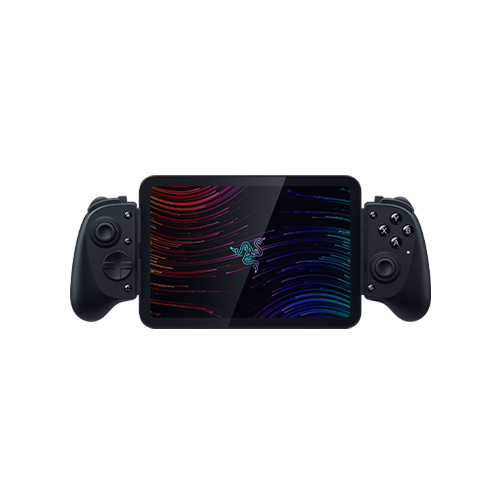
For someone who plays on the phone itself, the Kishi asks you to give up the least of the three. There is nothing to charge, you can charge the phone through it, it has a 3.5 mm jack for wired headphones, and it adds four remappable buttons: two on the back and two claw-grip bumpers, according to Razer's spec sheet. Razer uses TMR thumbsticks, which it sells as anti-drift, and puts two swappable caps in the box. It also takes small tablets up to 8 inches, the iPad mini among them, and cases up to 16 mm thick. Stuff.tv, in its review of November 11, 2025, called it «an easy pick over the Backbone Pro» if you don't need to play across several devices.
Where it falls short: no Bluetooth, so it never becomes a TV controller; Razer says its Sensa HD haptics are not supported on iOS for now, so on an iPhone you lose that part; and its phone list is specific. Razer names the iPhone 15, 16, 16 Pro, 16 Pro Max, 17, 17 Pro, 17 Pro Max and the Air with a compatible case, and asks for Android 14 or later and iOS 18; models such as the 15 Pro or the 16 Plus are not on the list, so check yours before buying. Pocket Tactics, in its review of June 23, 2025, also found that the back buttons feel a little cheap, though not fragile.
Backbone Pro: when the phone is not your only screen
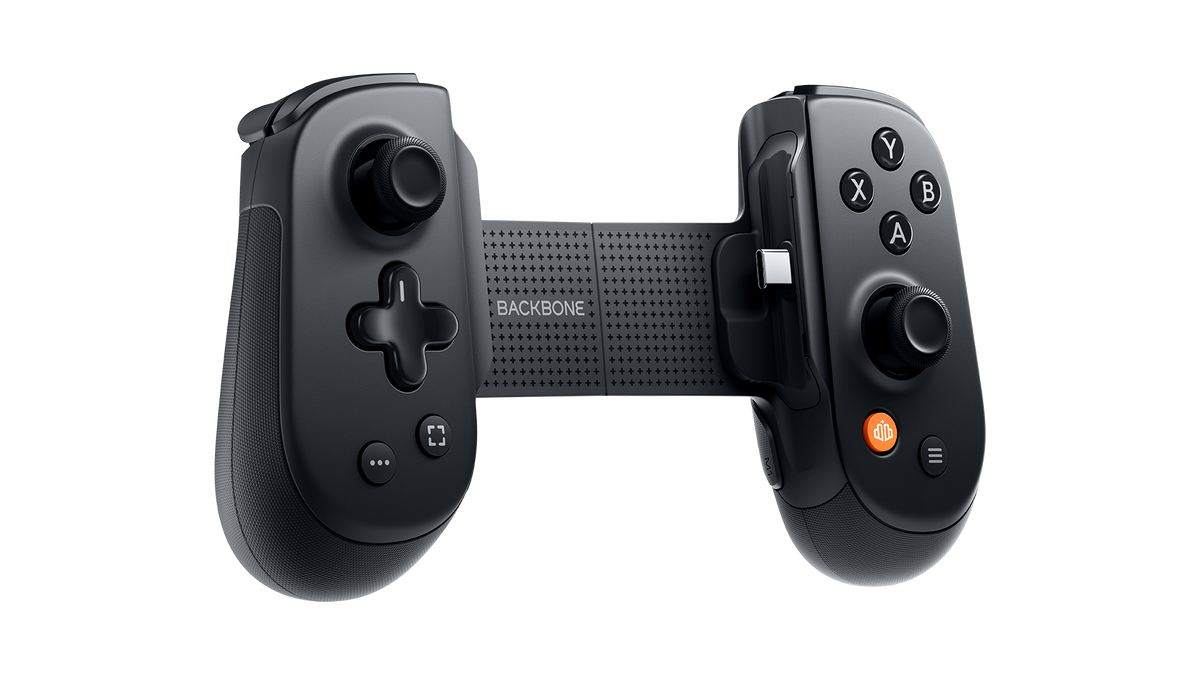
The Backbone Pro is the one to buy if you want a single controller for the phone and for something else. On the phone it plugs into USB-C like the Kishi; take the phone out and, per Backbone's product page, it pairs over Bluetooth Low Energy with a tablet, a PC, a Mac or a TV, with up to 40 hours of battery by the company's internal testing. It has full-size ALPS joysticks, two back buttons, a 3.5 mm jack and magnetic adapters so it fits with or without a case, and Backbone's case list even includes Pixel Fold and Galaxy Z Fold 5 cases. Backbone also says its Backbone+ subscription is not required to play.
Where it falls short: Backbone does not describe its sticks as Hall effect or TMR (why that matters for drift is in our stick drift guide), it has two extra buttons instead of the Kishi's four, and Backbone says iPhone 14 and earlier are not compatible. If you will only ever play on the phone, you pay for a wireless mode you won't use.
GameSir G8 Plus: for Lightning iPhones and more than one device
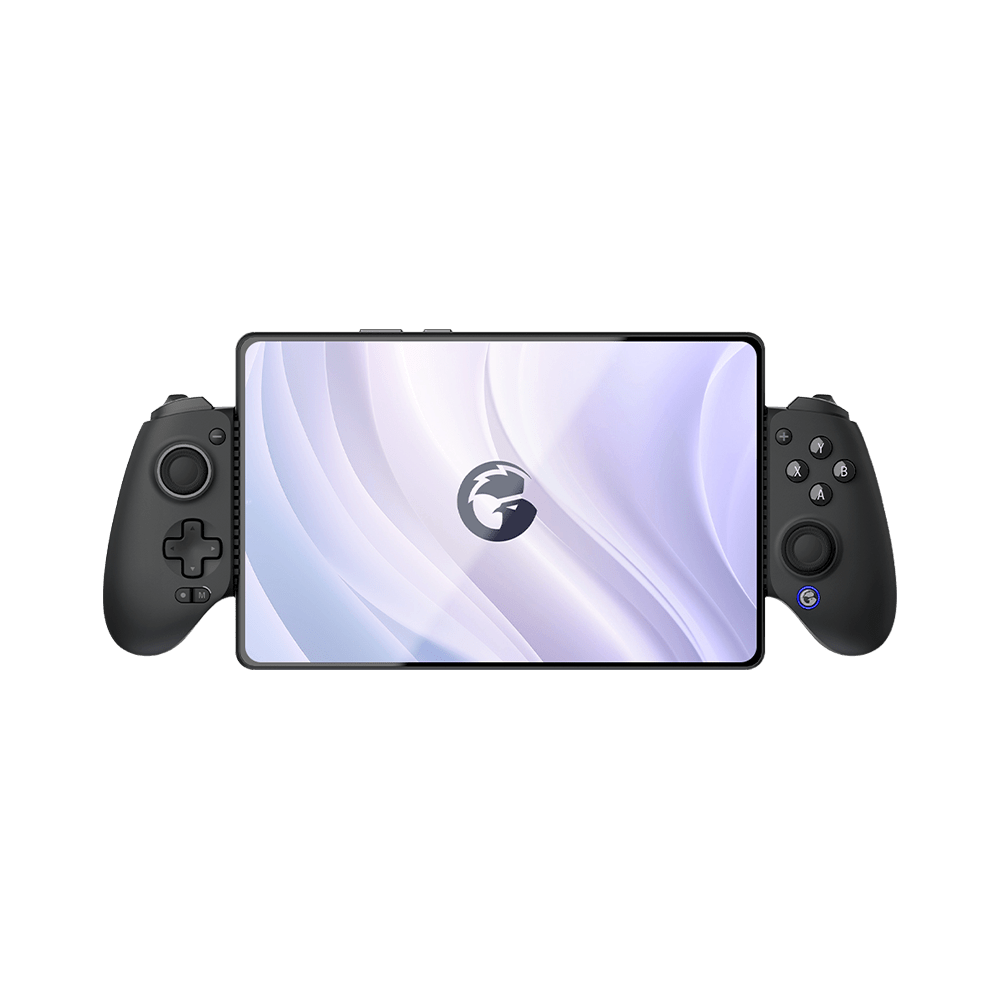
The G8 Plus solves the case the other two cannot. Because it connects over Bluetooth, your phone's port does not matter, and GameSir lists iOS and Android; that makes it the one of these three for an iPhone with a Lightning port. GameSir also lists it for Switch and PC; on PC it goes by cable or by a 2.4G receiver that GameSir sells separately. Its spec sheet lists Hall effect sticks, Hall effect analog triggers, two back buttons, a six-axis gyroscope and devices from 120 to 215 mm long; GameSir does not confirm that the gyroscope works on iPhone, so count on it on Android. It sits in the $60 to $80 band, so if price decides and you can live without a headphone jack, check it against the other two.
Where it falls short: GameSir writes «Audio: No», so there is no headphone jack; it has a 1000 mAh battery to keep charged and GameSir publishes no hours; pass-through charging is not on its spec sheet; and at 314 g it weighs more than the Kishi's 268 g.
Will it work with your phone? Three checks before you buy
1. The port. The Kishi V3 Pro and the Backbone Pro need USB-C. Backbone's FAQ notes that iPhone 14 and earlier use Lightning and are not compatible, and Razer's iPhone list starts at the 15; of these three, only the G8 Plus works with a Lightning iPhone, because it connects over Bluetooth.
2. Your exact model. Razer names the phones it supports one by one and asks for Android 14 or later and iOS 18; Backbone names the iPhone 15 to 18 series and asks for Android 10 or later and iOS 15 or later; GameSir gives a length range of 120 to 215 mm instead of models, and its manual asks for Android 8.0 or later. Find your phone in the brand's own list before you buy.
3. The case. Razer accepts cases up to 16 mm thick and Backbone includes magnetic adapters for use with or without one. If your case is unusually thick, check the brand's list first.
Where to go next: for wireless audio on the same phone, see our wireless headset guide; if you also play on a console, the essential console accessories covers PS5, Xbox and Switch 2; and if you would rather use a full-size controller, the 8BitDo Ultimate 2 lists Apple and Android among its platforms and has Bluetooth. You can line up any of these in the comparator.
How we choose
We have no lab and we have not used these three controllers. We picked them because they are the three that people compare by name when they look for a phone controller («Kishi V3 Pro vs Backbone Pro», «Kishi V3 Pro vs GameSir G8 Plus»), and we compared how each one connects, the phones each brand lists model by model, the sticks, the extra buttons, the battery, the jack and the weight, all from Razer's, Backbone's and GameSir's own pages. The two opinions quoted are Stuff.tv's and Pocket Tactics', named as theirs. Price bands come from our catalog and move with Amazon. No brand chooses or reviews what we write here.
I write every guide with the help of AI tools for research and drafting; I decide which products make the cut, check every figure against the manufacturer's spec sheet and the price on the day I verify it, and sign the text. — Samuel
Phone controller questions
Does the Razer Kishi V3 Pro work with iPhone?
Yes, with the models Razer lists: iPhone 15, 16, 16 Pro, 16 Pro Max, 17, 17 Pro, 17 Pro Max, and the iPhone Air in a compatible case. Razer lists iOS 18 in its requirements and says its Sensa HD haptics are not supported on iOS for now.
Does the Kishi V3 Pro have Bluetooth?
No. Razer lists USB-C as its only connection and no battery, so it works plugged into the phone, or into a Windows 11 PC with a USB-C cable that is sold separately.
Which phone controller works with an iPhone 14 or older?
Of these three, the GameSir G8 Plus, because it connects over Bluetooth and GameSir lists iOS. Backbone says iPhone 14 and earlier are not compatible with the Backbone Pro, and Razer's list for the Kishi V3 Pro starts at the iPhone 15.
Do I need a Backbone+ subscription to use the Backbone Pro?
No. Backbone says Backbone+ is not required to play; the free Backbone app handles firmware updates, stick calibration and button remapping, and the subscription adds extra features.
Can I use a phone controller on a PC?
Yes, all three, in different ways: the Kishi V3 Pro over a USB-C cable on Windows 11, the Backbone Pro over Bluetooth, and the GameSir G8 Plus by cable or with a 2.4G receiver sold separately, according to each brand.
What I would buy, phone by phone
For a USB-C phone that is on Razer's list and a player who plays on the phone, I would choose the Kishi V3 Pro: nothing to charge, you can charge the phone while you play, a jack for headphones and four extra buttons. If the same controller had to work on the TV too, I would choose the Backbone Pro for its wireless mode. And for an iPhone with a Lightning port, or for one controller that also pairs with a Switch or a PC, the GameSir G8 Plus is the one of these three I would pick.